
Best for: YouTubers and beginners creating lifestyle vlogs, birthday videos, and Instagram promos.
Price and platforms: Windows and macOS. Movavi Video Editor Free, Movavi Video Editor Lite and the full version. Full version costs from $19.95. Movavi Effects and Movavi Video Templates are separate subscriptions with their own prices.
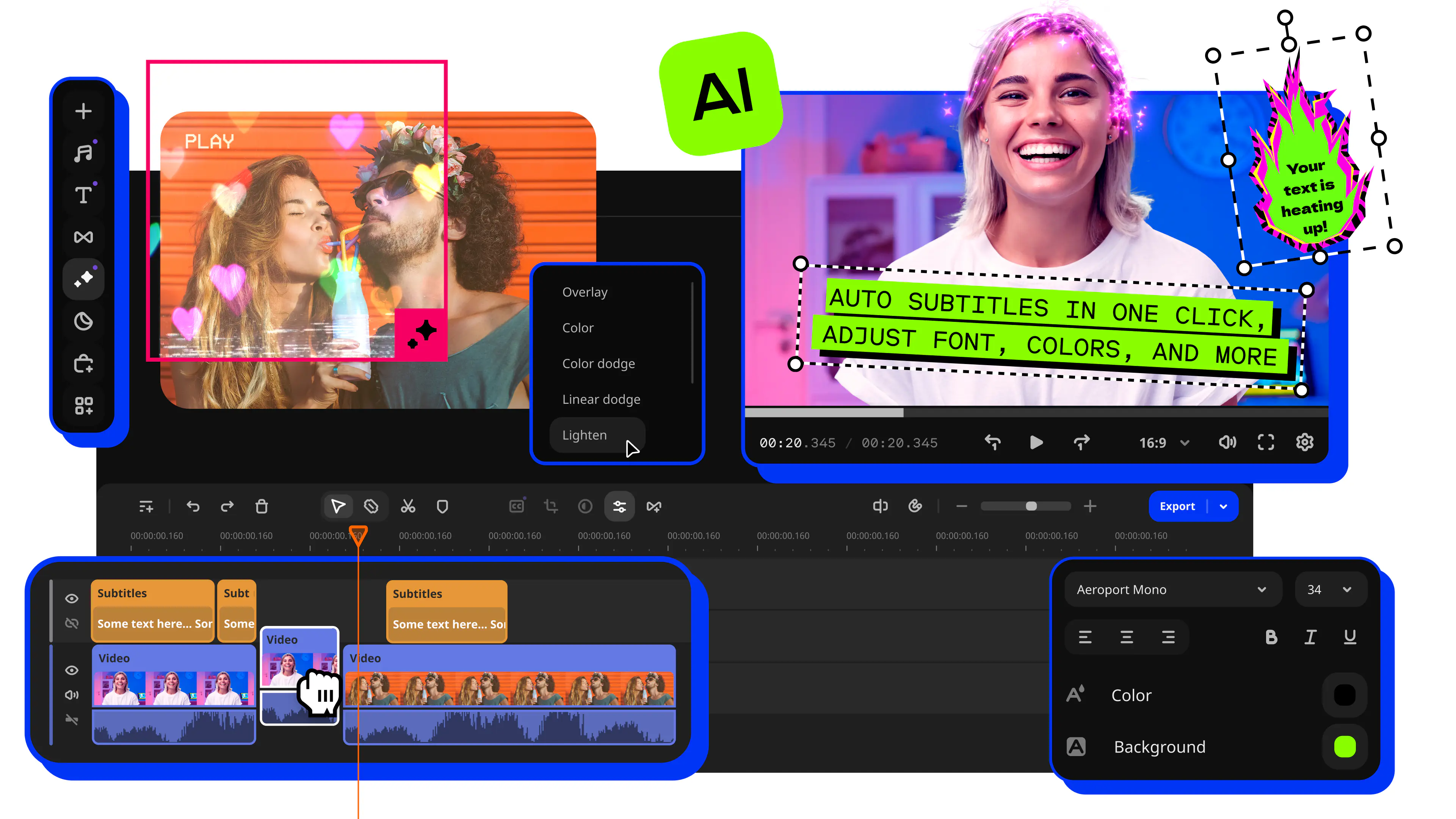
Why we picked it: picture a weekend travel vlog. You drop the clips on the timeline, hover over it to preview exact frames, and drag a transition or filter straight onto a clip. Movavi Video Editor is an intuitive video editor with customizable video templates, one-click AI tools, and hundreds of drag-and-drop effects. It is a desktop app for Windows and macOS, and the drag-and-drop workflow is perfect for beginners.
The AI tools take over the tedious parts: subtitles, noise removal, silence removal, auto-crop. Every one of them is included in the full version, and there is no AI credit system, so nothing runs dry halfway through a project. Hundreds of built-in effects handle transitions, titles, filters and stickers. The optional Movavi Effects subscription adds 10,000+ effects for blogs, business, family videos and holidays, plus 1,500+ music tracks.
More than 70 million people use Movavi software, and it is available in 190+ countries. New releases arrive 25+ times a year, so the AI toolbox keeps growing.
Key features:
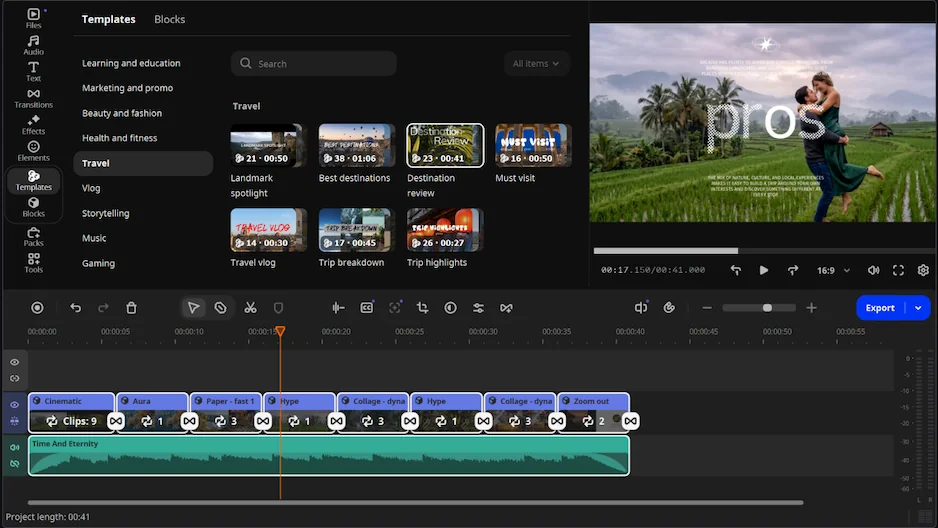
- Movavi Video Templates is a multi-style library of customizable, pro-looking, modular templates for any kind of video. A template is a ready-made project built from Blocks: short, pre-edited segments of the video.
- AI subtitles: speech-to-text in 100+ languages, with word-by-word highlighting that follows the audio.
- Auto-tracked cropping: turns horizontal footage into vertical and keeps the speaker or product centered, for Reels, Shorts or TikTok.
- AI audio noise removal: clears traffic, wind and steady hums in one click while keeping the voice.
- Color correction: ready-made presets, manual tone and contrast controls, and LUTs (ready-made color looks).