MOV to MP4 Converter
- Click Add Your Media and upload your video file.
- Check that the output format is set to MP4.
- Press Convert to start the process.
If you’ve got a stack of files waiting, try our desktop converter – it efficiently performs batch conversion and keeps the source quality untouched.
How to convert MOV to MP4 online
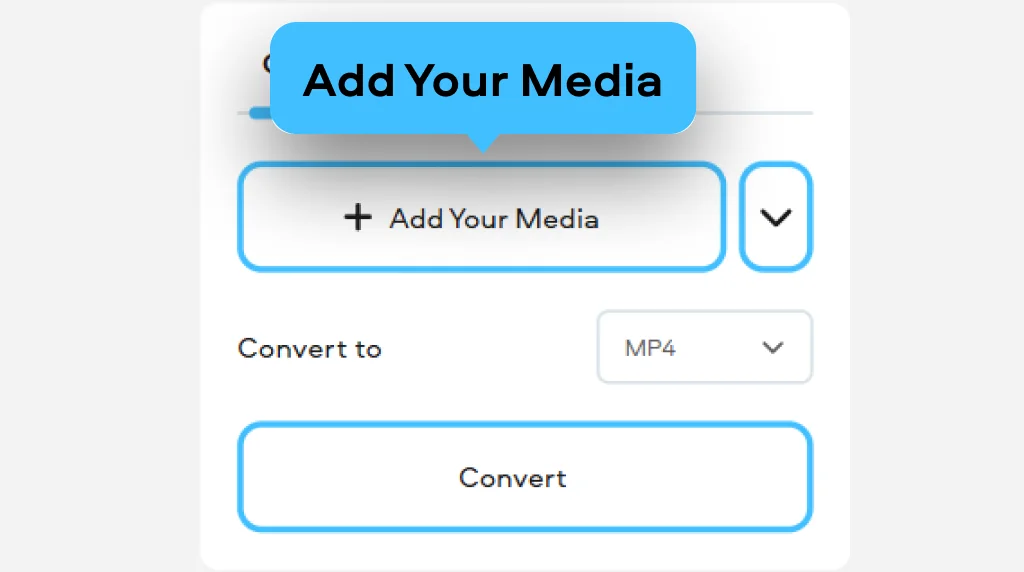
Upload your clip
Click Add Your Media and pick the MOV file from your device’s folders.
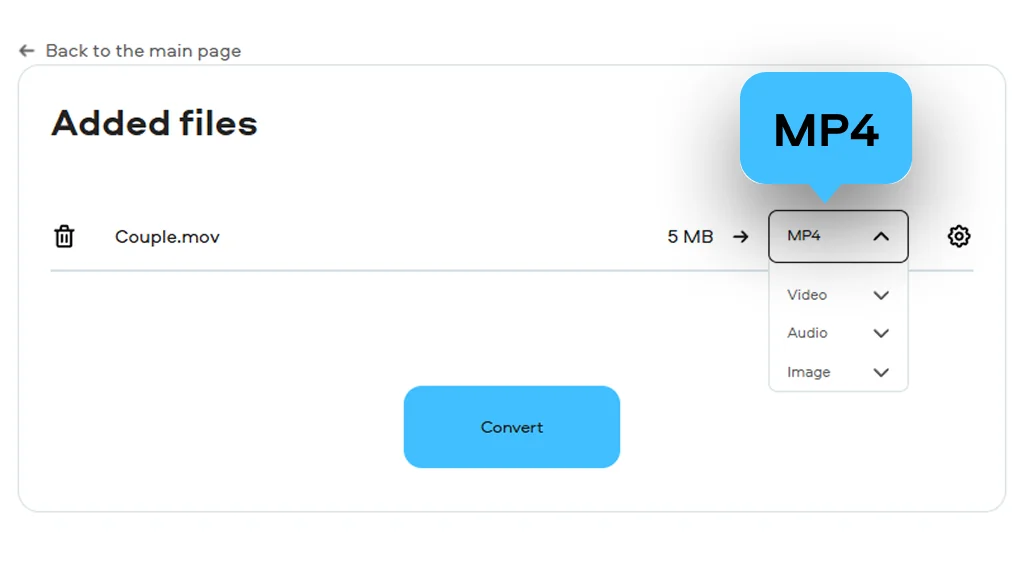
Select a file format
Click on the box next to it and pick the desired output file format (like MP4).
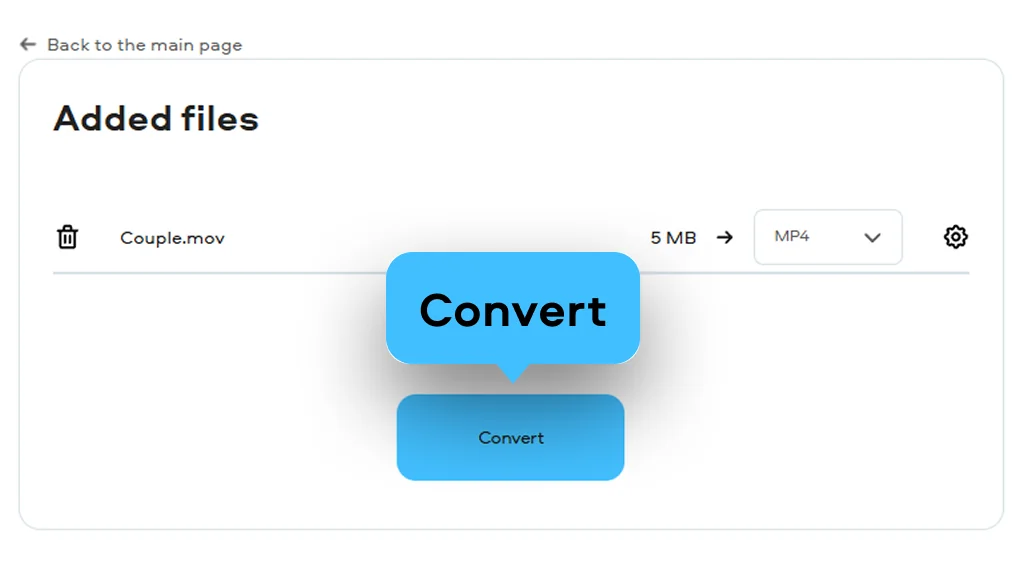
Convert and download the result
Hit the Convert button. Finally, click Download, and the converted video will be saved onto your device in the preferred format. This is how to change MOV to MP4 in three easy steps!
What is MOV?
Full name
QuickTime Movie
Format type
Video
Developed by
Apple
Description
MOV is a video container based on Apple’s QuickTime File Format. It is mainly used on Apple devices, but it can also run on other platforms if the required codecs are supported. If you need to open this format, many common media players can handle it.
File extension
.mov, .qt
Technical details
MOV files keep video, audio, and text in separate tracks inside one file. They support codecs such as MPEG-4, H.264, MJPEG, ProRes, CineForm, and others. Audio may use AAC, AC3, MP3, or ALAC. The QuickTime format later influenced the MPEG-4 standard.
Associated programs
QuickTime Player, iTunes, VLC, CyberLink PowerDirector, Windows Media Player (version 12), Roxio Creator
What is MP4?
Full name
MPEG-4 Part 14
Format type
Video
Developed by
Moving Picture Experts Group
Description
MP4 is a multimedia container introduced in 2001 by an ISO/IEC group. It stores video, audio, and other data in one file. The format is widely supported, so it works on most devices and systems without extra setup.
File extension
.mp4
Technical details
MP4 (ISO/IEC 14496-14) is based on a broader standard derived from Apple’s QuickTime structure. It often uses AAC for audio compression to reduce file size while keeping quality. The format also supports streaming and online playback.
Associated programs
iTunes, QuickTime Player, Windows Media Player, VLC, RealPlayer, and others
Movavi Video Converter is a modern solution for changing video formats on Windows and Mac. You can safely use it to turn MOV files into MP4 so they open on more devices. It also helps move iPhone videos into a format that plays without extra apps. The process stays focused on conversion, not extra editing steps. You can also use it instead of iMovie export when you need to convert QuickTime to MP4 on a Mac.
Why choose Movavi
We’re the #1 choice for millions of people from all around the world. Join our thriving community and create stunning content with incredible ease.
Millions


Frequently asked questions
How do I change a MOV file to MP4?
How do I change a MOV file to MP4?
You can use Movavi’s MOV-to-MP4 converter for free, it is very easy. Open the online tool in your browser. Upload your MOV file from your device. Pick MP4 from the format list and press convert. When it finishes, download the file and use it where you need.
How do I convert MOV to MP4 on Windows 11 for free?
How do I convert MOV to MP4 on Windows 11 for free?
For such cases, you can install Movavi Video Converter on Windows 11 and launch it. Add your MOV file and set MP4 as output. You can drop in several files and process them together using batch conversion. The program keeps the visual quality close to the original during export.
Is it safe to convert MOV to MP4?
Is it safe to convert MOV to MP4?
Yes, it is safe when you use known tools like Movavi’s online free converter or desktop software. The file only changes format, not content. Desktop programs run locally, so your files stay on your computer. Online tools are fine too, but trusted services matter more than anything else.
Does converting MOV to MP4 make it lose quality?
Does converting MOV to MP4 make it lose quality?
It can, but not always in a noticeable way. It depends on export settings and compression level. Higher settings keep more detail from the original video. Lower settings shrink files faster but may soften the image and sound a bit.


1.5M+ users already subscribed to our newsletter