VOB to MP4 Converter
- Click Add Your Media to upload your VOB file.
- Choose MP4 as the output format.
- Press Convert to start the process.
For higher quality and batch conversion, try our desktop tool and convert all files from your VIDEO_TS folder at once.
How to convert VOB to MP4 online
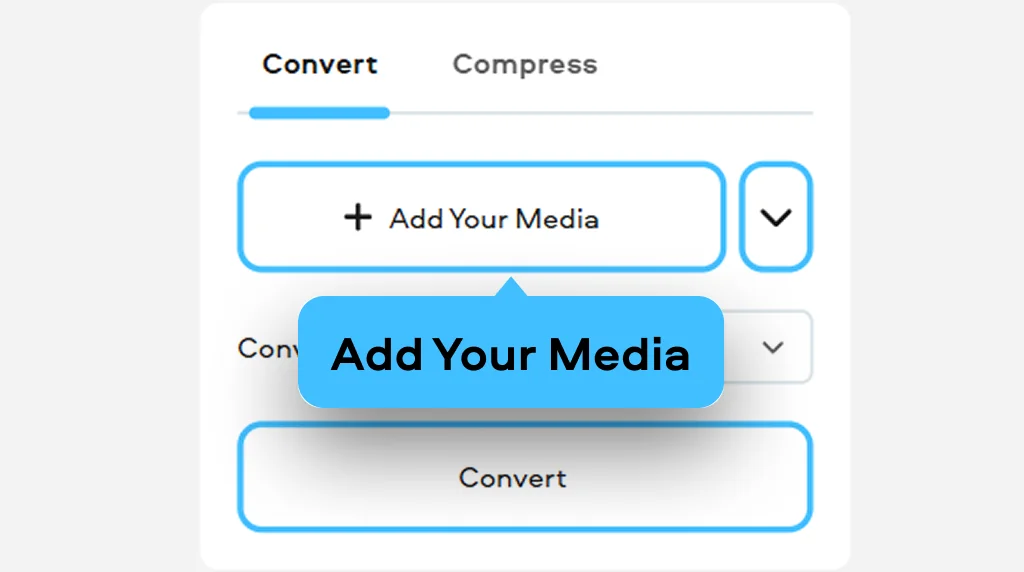
1. Upload your video
Open the VOB-to-MP4 converter and upload your VOB file from the VIDEO_TS folder.
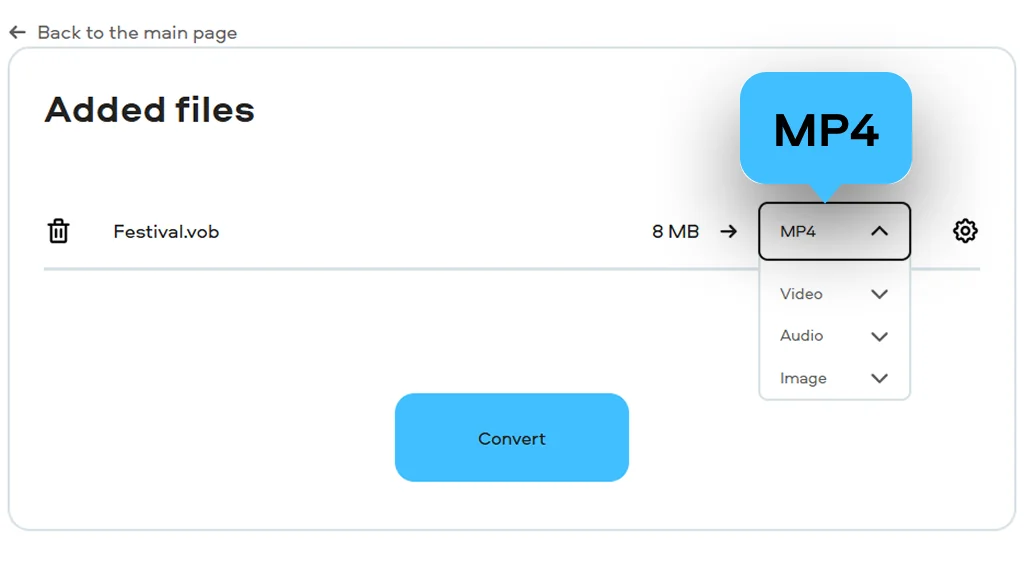
2. Choose the format
Select MP4 as the output format. This helps reduce file size and ensures better compatibility with modern formats.
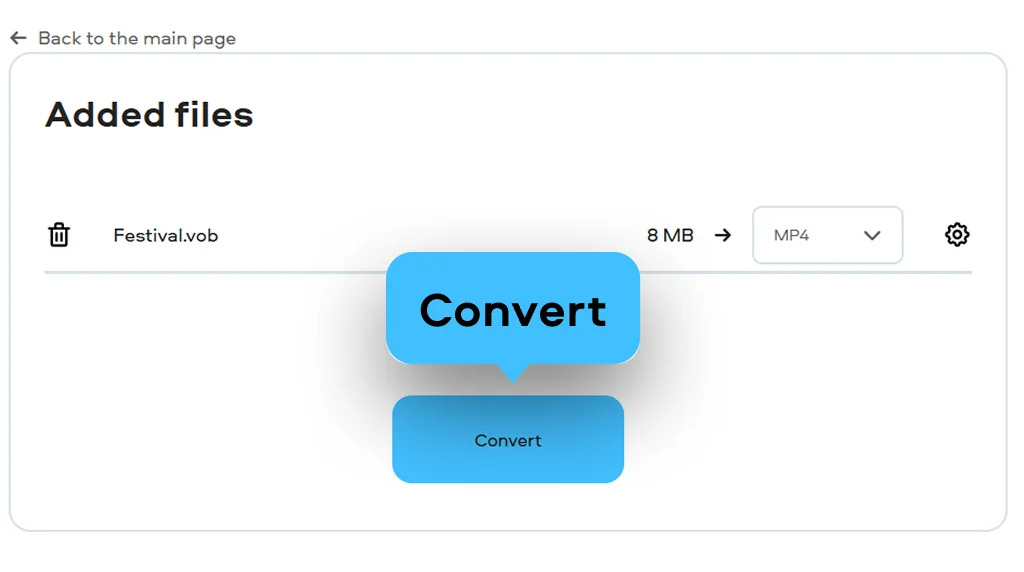
3. Download the result
Click Convert to start processing your video. Click Download to save the converted file to your device. It will be ready for playback on smartphones, tablets, and Smart TVs.
What is VOB?
Full name
DVD Video Object
Format type
Video
Developed by
DVD Forum
Description
VOB is a container format used on DVDs to store video, audio, subtitles, and navigation data. It is typically found inside VIDEO_TS files, allowing DVD players to display menus and control playback. While some desktop programs can open these files, support on modern devices is limited.
File extension
.vob
Technical details
VOB files use MPEG-1 or MPEG-2 for video encoding, which is why conversion from MPEG-2 to MP4 is commonly required for modern playback. Audio tracks may include formats like MPEG Audio, LPCM, DTS, or AC-3. Files can also be encrypted to prevent copying.
Associated programs
VLC, Media Player Classic, KMPlayer, Apple DVD Player, and others
What is MP4?
Full name
MPEG-4 Part 14
Format type
Video
Developed by
Moving Picture Experts Group
Description
MP4 is a widely used multimedia format designed to store video, audio, and other data in a compact file. The VOB vs. MP4 size difference is significant, as MP4 files are typically smaller while maintaining good quality. It is supported by nearly all modern devices and platforms.
File extension
.mp4
Technical details
MP4 is based on the MPEG-4 standard and uses efficient codecs like H.264 for video and AAC for audio. It supports streaming and delivers good quality at smaller file sizes compared to older formats.
Associated programs
QuickTime Player, Windows Media Player, VLC, iTunes, RealPlayer, and others
VOB-to-MP4 conversion usually comes up when you’re dealing with old DVDs or collections of wedding and home videos stored in VIDEO_TS folders. These files often have visible interlacing artifacts and, more importantly, they simply don’t open on most modern players or TVs.
With Movavi Video Converter, you can handle VOB file to MP4 conversion in a much simpler way, especially if you want to digitize home videos and clean up footage using deinterlacing. Instead of struggling with outdated formats, you can make your old DVD recordings playable again on iPhone, Android, and Smart TVs.
Why choose Movavi
We’re the #1 choice for millions of people from all around the world. Join our thriving community and create stunning content with incredible ease.
Millions


Frequently asked questions
How can I convert a VOB file to MP4 for free?
How can I convert a VOB file to MP4 for free?
If you’re wondering how to convert VOB to MP4, just use our free converter in your browser. Upload a file from your VIDEO_TS folder, choose MP4, and start the process. The tool works entirely online, so you don’t need to install anything to get a compatible video file.
Will I lose video quality during the conversion?
Will I lose video quality during the conversion?
The converter processes MPEG-2 video and optimizes it for MP4 with minimal quality loss. It also applies deinterlacing and can adjust the aspect ratio from 4:3 to 16:9 when needed, so older footage looks more natural on modern screens while keeping good visual clarity.
Can I convert a whole DVD (VIDEO_TS) to MP4?
Can I convert a whole DVD (VIDEO_TS) to MP4?
Yes, you can upload several VOB files and process them in one session, similar to how an online DVD rip tool works. Since DVDs store content in separate segments, convert each file and combine them later if needed to recreate the full video.


1.5M+ users already subscribed to our newsletter