There is no need for desktop software to crop video online. The video cropper runs in a browser and accepts common file types. It works with more than one format, including MP4, AVI, and MOV.
Ready to refine your footage? Follow these three steps:
This video cropper changes the frame so only the necessary part of the image remains. It can be used to remove edges, adjust the frame for a different platform, or cut out unnecessary parts of the shot.
By clicking the download button, you're downloading a free version of the program.*
There is no need for desktop software to crop video online. The video cropper runs in a browser and accepts common file types. It works with more than one format, including MP4, AVI, and MOV.
Ready to refine your footage? Follow these three steps:
Click Upload Files and add the video to the editor. The process is fast and secure, you can start editing after the file is ready.
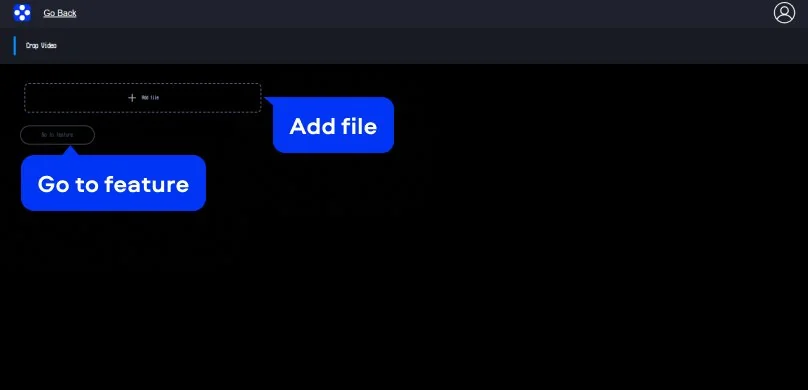
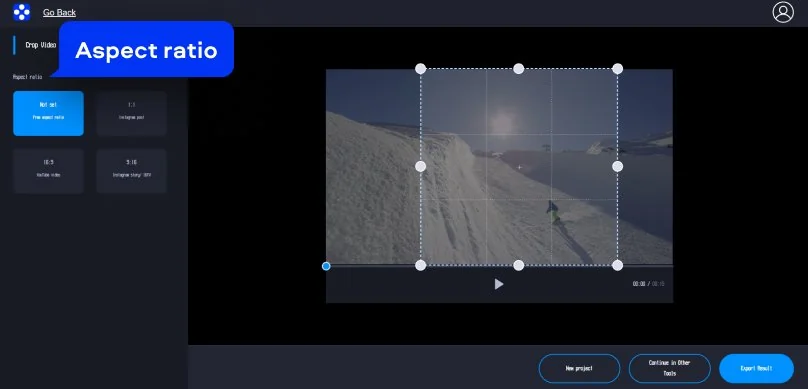
Select the part that should remain visible. Drag the handles to set the new area and cut out unnecessary parts at the edges. Presets are also available to help crop video for Instagram, YouTube, or TikTok.
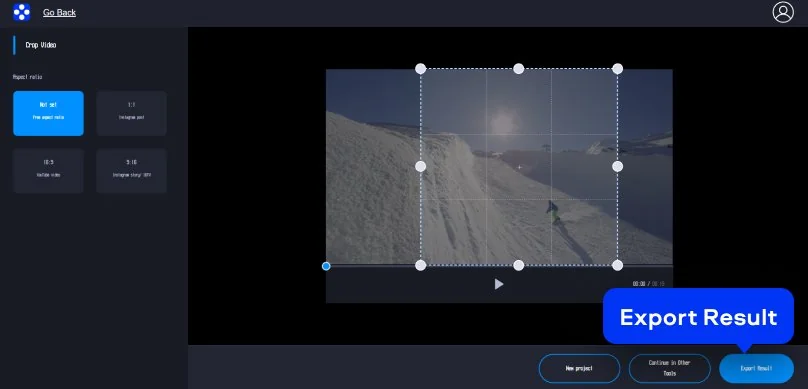
When the framing looks just right, export the clip. You can download the result for free and save or share without watermark.

We’re the #1 choice for millions of people from all around the world. Join our thriving community and create stunning content with incredible ease.
Millions


Upload the file, select the part to keep in frame, then export the result. The tool makes it possible to crop video and save the updated file for free.
Yes. After using this online video cropper, you save your work without watermark, ready to be published on YouTube or social media feed.
The free video cropper works with MP4, MOV, and AVI. Other common file types can be used as well. Upload and processing speed are usually fast.
If you crop video online, that doesn’t automatically reduce quality. The crop changes the visible area of the frame, while compression and export settings are what usually affect the final result.
Files you upload into our video cropper move through a secure connection and removed from the servers after 24 hours.
*The free version of Movavi Video Editor may have the following restrictions depending on the build: watermark on exported clips, 60-second video or 1/2 audio length limit, and/or some advanced features unavailable when exporting videos.


1.5M+ users already subscribed to our newsletter