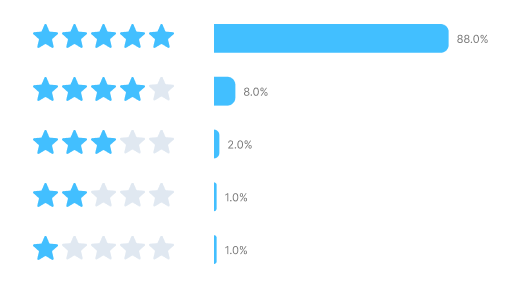
Overall rating
4.8 out of 5 (based on reviews from G2, Capterra, and Software Advice)
Windows & macOS
180+ formats
Batch conversion
GPU acceleration
Current version: 24.5.1 · Page updated: 05/25/2026
What is Movavi Video Converter?
Movavi Video Converter is a popular media conversion program designed for quick media processing on desktop devices. Along with format conversion, it includes tools for video compression, basic editing, DVD conversion, and AI-powered upscaling.The latest version supports hardware acceleration technologies from NVIDIA, AMD, and Intel to speed up processing times and improve overall performance. You can optimize media for Windows PCs, smartphones, tablets, TVs, and gaming consoles using convenient ready-made presets. The Movavi converter easily handles most popular video formats, including detailed 4K footage.
Who is it for?
The converter is aimed at home users, bloggers, students, and beginner content creators who want simple tools without a complicated learning curve. Its interface is simple and easy to navigate. You can shrink large files, convert clips for your phone, or prepare videos for Instagram, YouTube, and other platforms in minutes. Overall, Movavi Video Converter focuses more on quick everyday media tasks than on advanced professional editing workflows.
Key features
You can download the installer from the official site and start with a free trial to explore the program before buying. The trial version includes a watermark and conversion limits, but it still lets you test the main tools and workflow on real projects. Reviews on G2 and Capterra often praise Movavi Video Converter for its fast processing speed, simple interface, and broad format support. Many users also highlight how quickly they can start working with the program, even with no previous editing experience.
Fast GPU-powered conversion
Clean and beginner-friendly interface
Large selection of supported formats
Batch file conversion
Handles 4K and 8K video
Ready-made device presets
Available for Windows and macOS
Built-in compression tools
AI-powered video upscaling
Watermark in the free version
No built-in cloud storage
Slightly higher price than some alternatives
Trial version has limitations
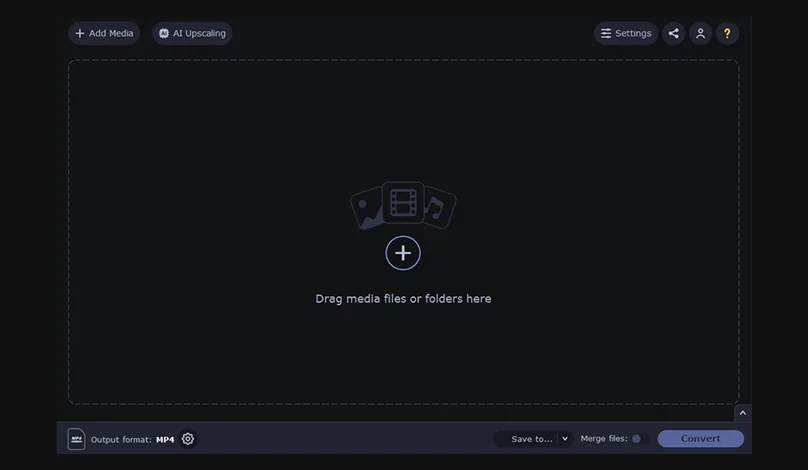
Movavi Video Converter main interface
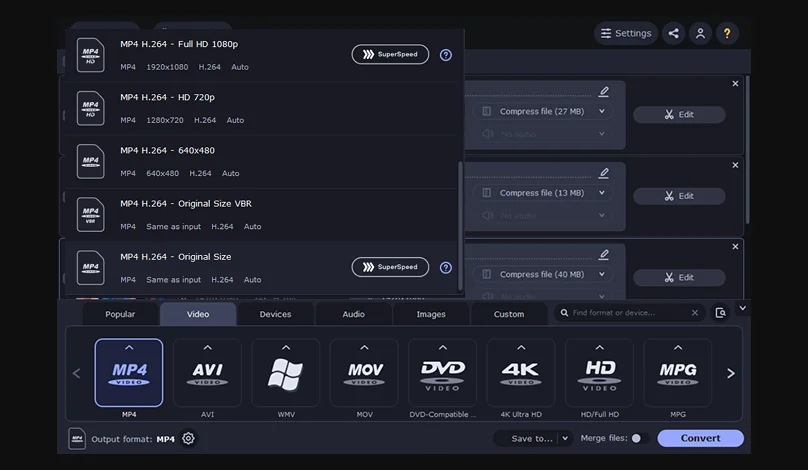
Format selection and device presets
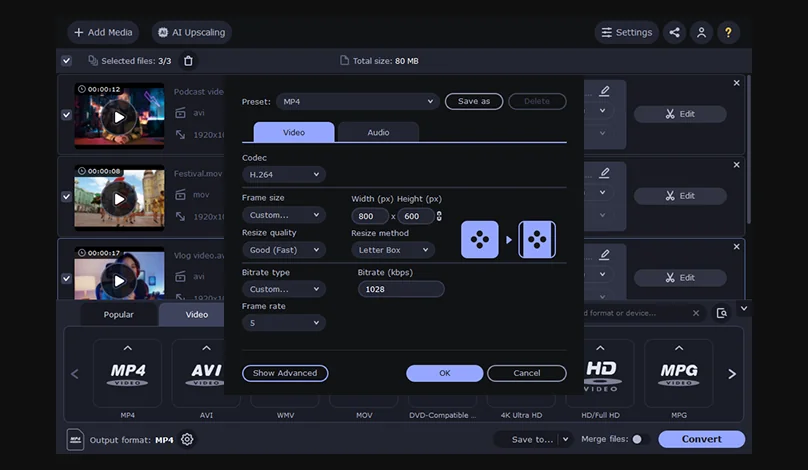
Video settings and quality options
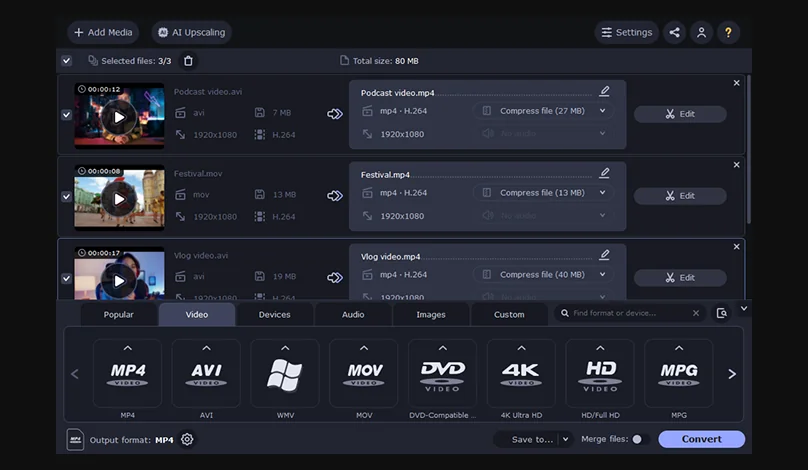
Batch conversion queue
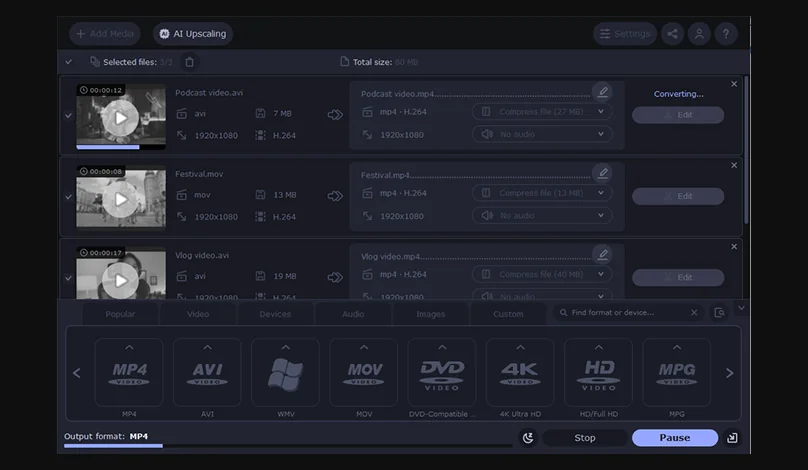
Conversion progress with GPU acceleration
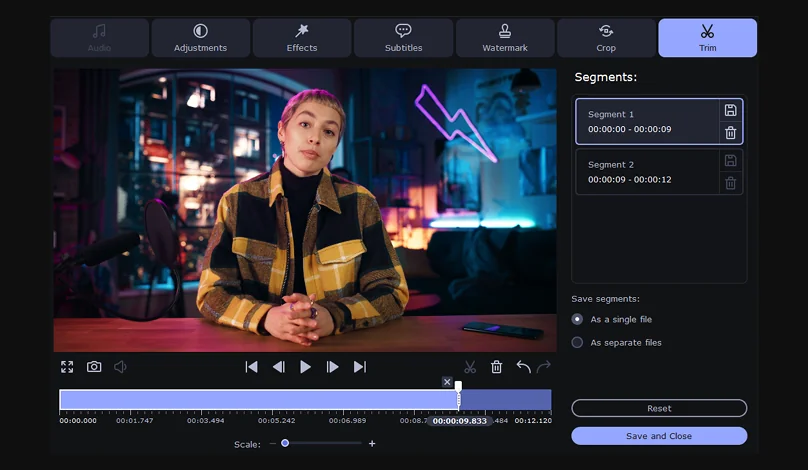
Built-in editing tools
60-sec conversion limit
Watermark on output
Limited trial functionality
180+ formats supported
Unlimited conversions
No watermark
Full feature access
180+ formats supported
Unlimited conversions
No watermark
Full feature access
180+ formats supported
Multiple PCs
Priority support
Prices are correct at the time of publication. You can check the latest plans and offers on the official Movavi website.
Movavi Video Converter is not completely free – the conversions are limited to 60 seconds with a watermark.
Windows
OS: Microsoft® Windows® 10/11 64-bit with up-to-date patches and service packs installed
CPU: Intel®, AMD®, or compatible processor, 1 GHz
RAM: 4 GB
GPU: NVIDIA / AMD / Intel supported
Display: 1280 × 768 screen resolution, 32-bit color
Disk storage: 120 MB available hard disk space for installation, 750 MB for ongoing operations
macOS
OS: macOS® 12.0 or higher
CPU: 64-bit Intel® processor, Apple M1 or higher
RAM: 4 GB
GPU: NVIDIA / AMD / Intel supported
Display: 1280 × 768 screen resolution, 32-bit color
Disk storage: 140 MB available hard disk space for installation, 750 MB for ongoing operations
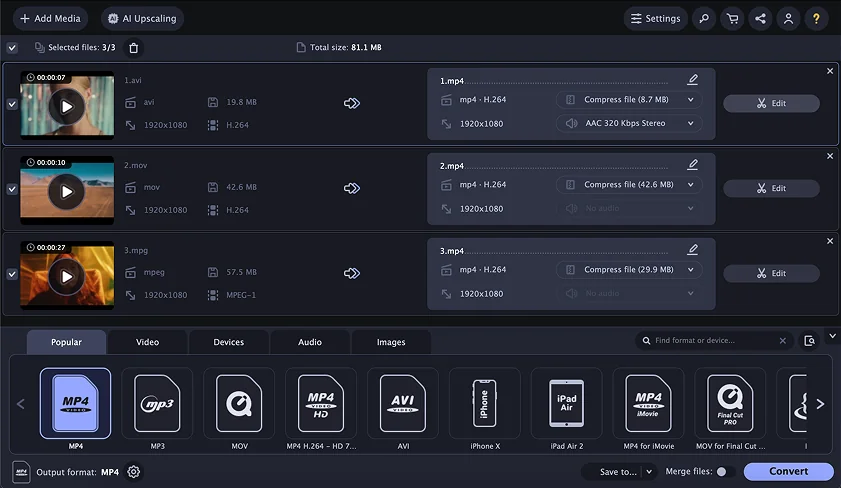
Movavi Video Converter
Combines fast video conversion, simple editing tools, AI features, and broad format compatibility in one program.
Pricing: free trial/paid. Starting at $19.95/month.
Overall rating: 4.8/5
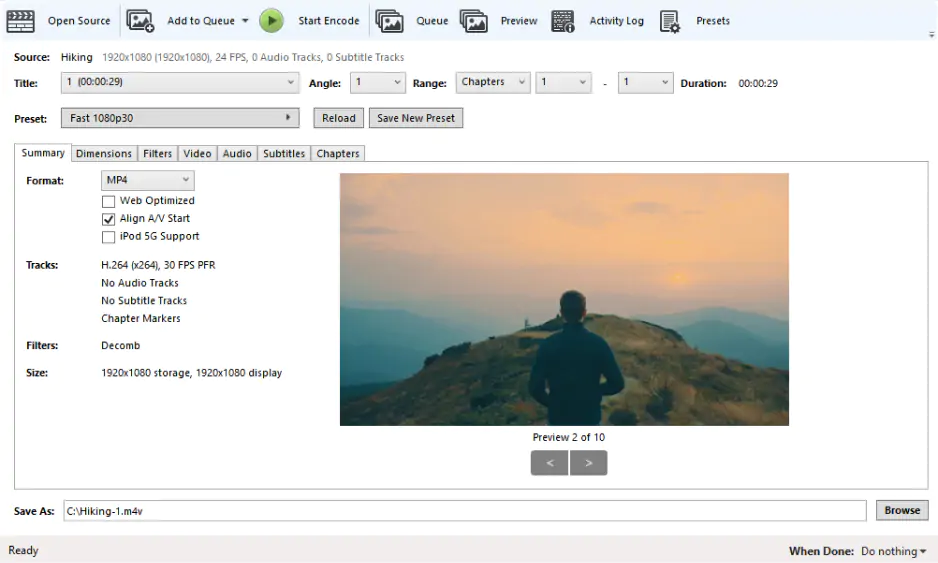
HandBrake
Provides detailed control over encoding, bitrate, compression, and export settings.
Pricing: free
Overall rating: 4.3/5
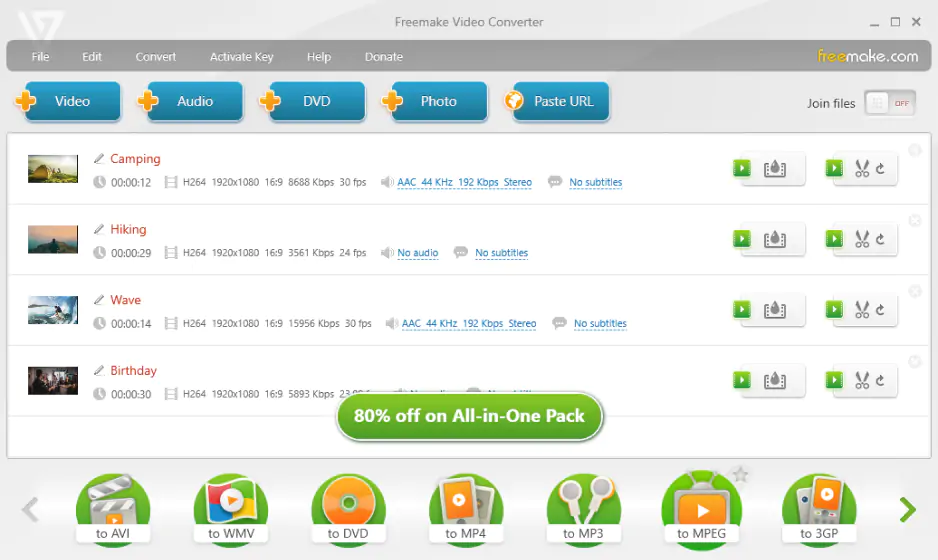
Freemake Video Converter
Includes DVD conversion tools and simple video downloading features.
Pricing: free/paid. Starting at $39.95/month.
Overall rating: 3.8/5
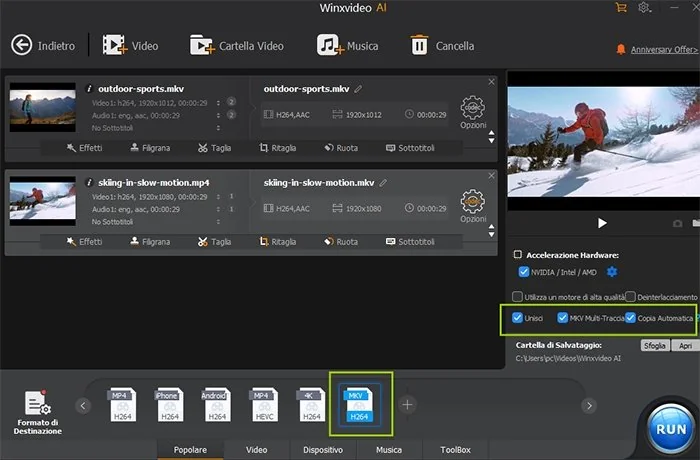
Winxvideo AI
Focuses on AI-powered enhancement and GPU-accelerated processing.
Pricing: free trial/paid. Starting at $34.95/month.
Overall rating: 4.1/5
4.8 out of 5 (based on reviews from G2, Capterra, and Software Advice)
Reviews
A free download is available, but the trial version limits conversions to 60 seconds and adds a watermark. The full version starts at $54.95 per year.
Yes, Movavi is a trusted software developer with millions of users worldwide. To stay safe, always go to the official website for the Movavi Video Converter download instead of third-party sources.
The program uses NVIDIA, AMD, and Intel hardware acceleration to speed up conversion tasks. In some cases, processing can be much faster than CPU-only conversion, especially with large HD and 4K files.
The software works with more than 180 media formats, including MP4, MKV, AVI, MOV, WMV, FLV, MP3, and many others. It also includes a built-in video compressor for reducing file sizes.
Movavi Video Converter focuses on converting files, compression, and basic editing tools like trimming and rotating. Movavi Video Editor is designed for more advanced timeline-based editing projects.
Yes, the trial version adds a watermark to exported videos. To remove it, you need a premium license for PC or Mac.
Yes, Movavi is a legitimate company founded in 2004. The software has verified reviews on platforms like G2 and Capterra, and the installer is available from the official Movavi website.


1.5M+ users already subscribed to our newsletter