Gecata by Movavi
Simple and solid game recorder and streaming program
Top 10 Discord Voice Changers in 2026
Try Gecata by Movavi to capture your gameplay!

Did you know one study found voice deepfakes can fool a quarter of people? This technology moves fast. Discord voice changers, they are everywhere now. Millions of people today take control of how they sound online. They find privacy, make jokes. You look for a voice modifier now. So many options exist. Picking one for you is hard. We talk about ten popular options. This will help you make a good choice.
Best voice changers for Discord
1. Voicemod
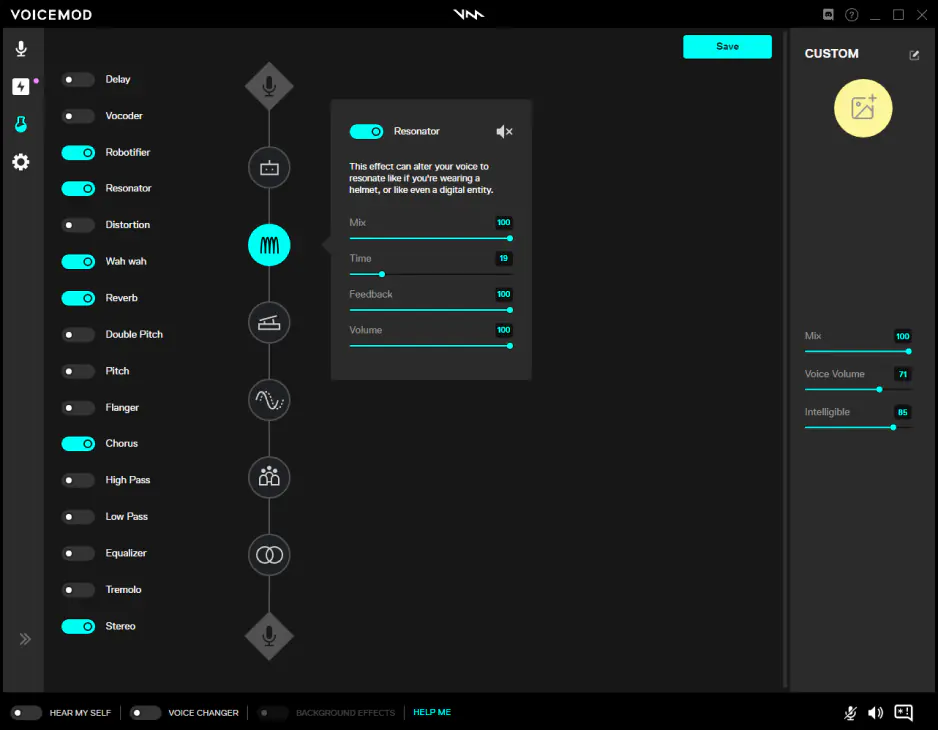
I use it all the time. You build your own sound from the ground up, not just simple changes. I get a whole soundboard of effects. Switching between characters mid-session is easy. I did it last night in my D&D game. My friends did not know it was me. It helps keep things private, too. Play another game, sound like someone new. Voicemod is not just for Discord. It works with most game platforms. I use it on Zoom sometimes. It even works on WhatsApp calls, imagine that. You can even load your own audio files for sound effects. It offers deep control over every pitch and tone setting.
It’s a free-download product
Works on both games and communications apps
Quickly switch between different distinct vocal effects
To unlock advanced features, you need to pay for a license

Next on my list of the best voice changers for Discord is a little installable software Clownfish. This thing is slick on Windows. You install it, then it grabs your audio at the system level. Every app hears the changed voice: Discord, Steam, Zoom, everything. It means no fussing with settings inside each game.
I love that setup. You pick a voice from the list. Simple stuff, but fun. Effects like 'Alien', 'Robot', 'Female Pitch', and 'Helium' are all there, among others. It has VST support too. That means professional audio plugins, which I use for custom reverb. You can even play background music from a playlist. This works on any Windows PC from Vista to 11. They have Mac and Linux versions too, which is great. The entire program is free. It is quite a reliable tool for zero cost.
Modifies audio for all apps automatically, time saved
Several voice effects sit ready
Music and sound player included
It is completely free to download and use
Mac and Linux versions to easily fit your computer type
All platforms get automatic voice changes, some people dislike this
Some users report instability or driver issues
3. Murf

Murf? Oh man, this platform is serious for AI audio nerds like me. It is a studio, not just a simple Discord toy. You use it for text-to-speech, real quality stuff for videos or presentations. Murf shines in its AI voices. Over 200 voices in 20+ languages are there for you. They sound incredibly real, not robotic at all. Voice cloning is also possible, a near-perfect twin of your voice.
Here is the catch: you need to record your voice first, or type what you want to say. Real-time voice change in Discord, it does not do that. You upload files, tweak them in the studio, then download the final MP3. The free plan gives you 10 minutes to test, but downloads need a paid plan. Murf's strength is pure audio production, high-quality voiceovers for content creation, not live stream messing around.
Transform text into natural-sounding speech
Modify your voice without artificial effects
Translate into more than twenty languages
The voices are high quality; some call them industry best
No real-time voice modification in Discord
The app is not integrable with Discord directly
Downloads need a paid subscription
4. MorphVOX
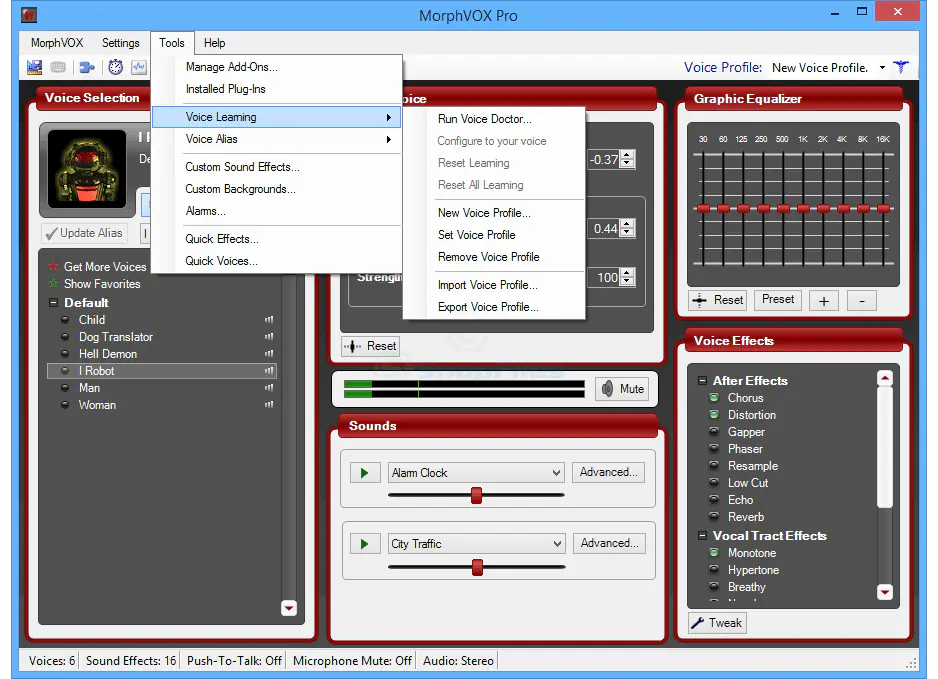
MorphVox, first released around 2005, is an old player, but is it good? It still gets regular updates, the latest being in April 2025 for full Windows 11 file support.
From regular folks to fantasy beasts, MorphVOX has effects for everyone. You customize each filter. This makes the exact sound you want. Fantasy voices work great for role-players. Be a hardy dwarf, a giant, or anything in between. Powerful algorithms remove background noise. Your altered voice stays clean and audible. I noticed it handles my loud mechanical keyboard well. You even add new background sounds: traffic, chatting, whatever. You also throw in sound effects. Accent a big announcement with a drum roll. Distract a friend in-game with a timely fart. These sounds are very realistic.
Free to download (Junior version)
Multiple voices available for free
Wide voice range
Removes background audio and replaces with preset sounds
Some features need a paid subscription
Only on Windows and Mac computers
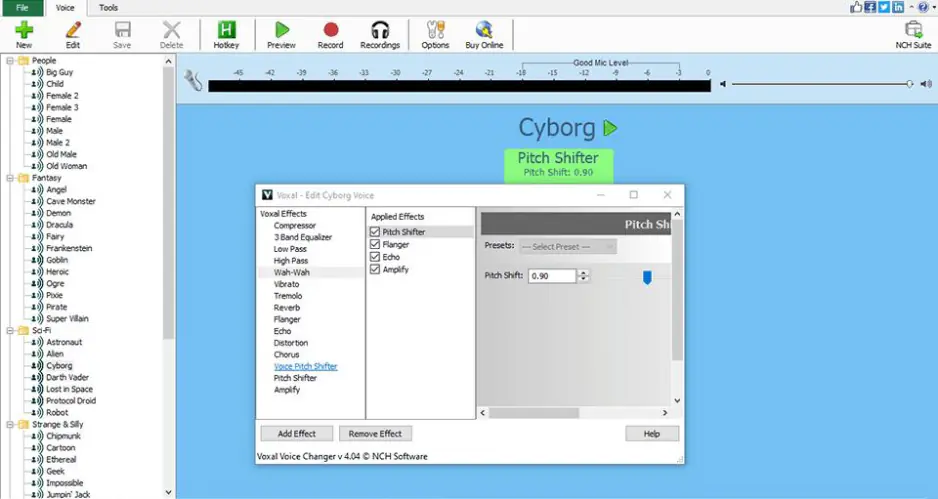
You may glance at Voxal and think it’s a bit oldy-moldy, but it still runs on Windows 7 to 11 and macOS 10.5 or later. Voxal packs a lot into a single tool. You get live voice changing with almost no lag, a large effects library including robot, boy, girl, and alien voices, and full compatibility with Discord, CSGO, Steam, TeamSpeak, and Skype. You can switch between custom voices using hotkeys and even apply effects to recordings as well as live audio, making it easy to experiment whether you’re gaming, streaming, or editing.
It can change your voice live while you talk on Discord, Skype, or in games, not just after you record a clip. This handy platform for voice alteration works by sitting between your mic and the apps that use it, so you don’t fuss with settings in each one. I used it with Discord and a custom hotkey made switching voices quick in the middle of chat.
It has a large library of voices and lets you build chains of effects for deeper tweaks. The free version handles basic fun and voice mods for home use. If you want all features or business rights, paid licence sits at $39.95. Voxal runs lightly on CPU and can even work on recorded audio as well as live speech.
Free to try for personal use
Lots of voice effects
Easy setup and low CPU use
Free version limits some tools
Commercial use needs payment
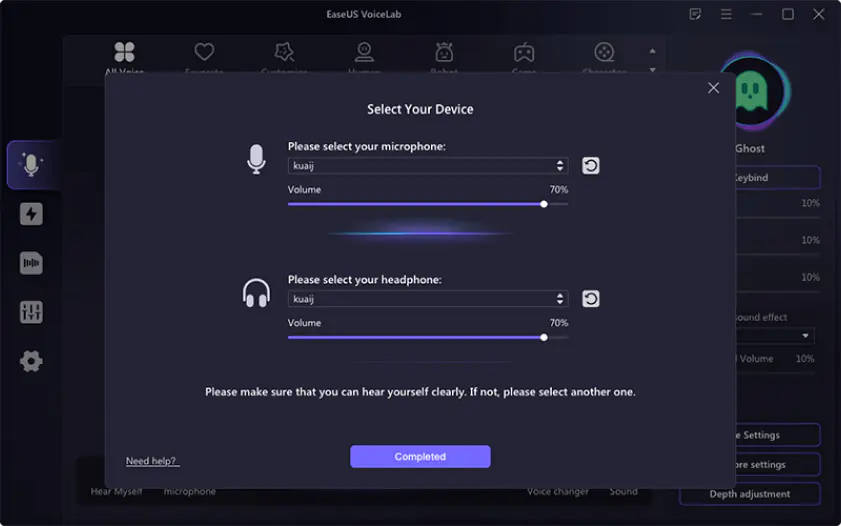
I first spotted EaseUS VoiceWave because it lets you change your voice live on Windows 10 and 11 while you play or chat. It runs real-time AI voice change with over 200 effects and a soundboard with 300 extra clips you can trigger in apps like Discord, Zoom, and Twitch. In my testing, few apps deliver such low latency for live streams. A simple mixer helps you balance track volume and pitch, making every effect sound unique to you.
You get noise reduction, a simple mixer to balance tracks, and the option to record and export audio or video files with your altered voice. I tested it and the delay stayed low even in long sessions. The free version gives plenty to try, and paid licences start around $29.95 per month or $79.95 for a lifetime unlock of all filters and support.
Real‑time voice change with AI and very low delay, so it works while you chat or stream
Over 200 voice effects plus a 300+ soundboard you can trigger while you talk
You can reduce background noise and record or export your voice as audio or video
Free download lets you try most features
It runs only on Windows 10 and Windows 11
Advanced tools and all voice effects require a paid licence
7. MagicMic
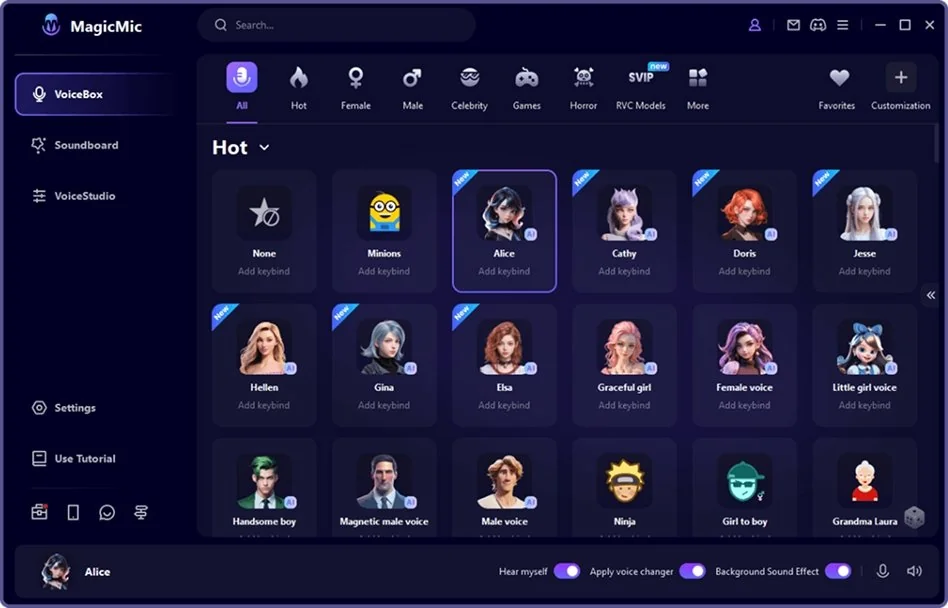
MagicMic is also one of the best AI voice changers I see on the market that works live on Windows and Mac with Discord and other hyped chat apps. It runs hundreds of voice effects and lets you pick from 225+ AI filters right as you speak. The software also includes a big soundboard with 800+ sound effects and memes you can trigger while you talk. You can record audio or change files you already made, and it even lets you tweak pitch and volume to shape your own voice style.
I used it during a stream, and the change felt nearly instant, though older gear can hiccup. The free version offers a few voices daily. But, par for the course, the most advanced effects require paid plans from $9.99 per month.
MagicMic works with games and platforms like Discord, Roblox, and TeamSpeak, and it keeps adding new packs. Built-in noise reduction helps cut background hiss. Some users report occasional instability or server errors. If you want a voice changer that launches quickly and runs across apps, this one is worth trying.
Works live with Discord, Zoom, and other platforms on Windows, Mac, iOS, and Android
Lots of voice effects (225+ filters and 800+ soundboard clips) to try while you talk
Lets you record or import audio files and tweak pitch or volume
Built-in noise reduction and custom voice creation tools help shape sound
The free tier limits how many voices you can use each day
Some advanced voice packs require a subscription to unlock
Some users report stability issues like server errors or features not loading
Real-time voice change may not work smoothly on all mobile devices
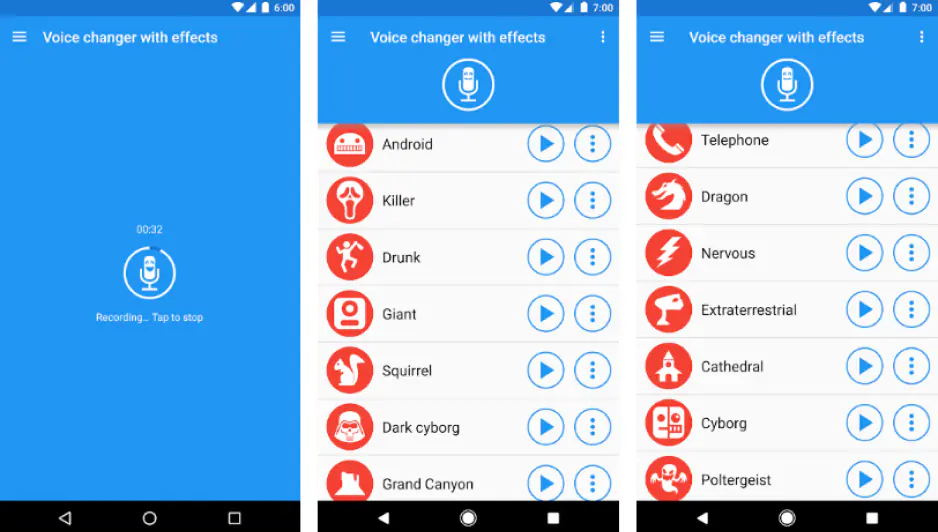
Mobile voice modifiers often get overlooked, yet millions of Discord users stream and chat straight from their phones. Voice Changer with Effects works on iOS and Android, grabbing audio through your phone’s mic and twisting it with over 50 real-time effects. Helium, zombie, robot, piano-style, alien, backwards, squirrel, drunk – take your pick.
Record your voice or import tracks, adjust pitch and volume, turn clips into playable audio or even songs, and create voices from text. You can share recordings via WhatsApp, email, or social media, save them, set them as ringtones or notifications, or pair them with custom images
Frequent updates bring new sound packs and improve processing, so that the software can perform smoothly even on mid-range devices. Free use shows occasional ads, and some advanced effects require in-app purchases, but the app handles live chats, recordings, and file edits reliably. Google Play Pass covers it for Android users, while iOS users can grab it from the App Store. For anyone gaming, streaming, or just messing with friends, this app packs most of what you’ll need.
Wide range of vocal effects
Included on Google Play Pass
Available on Apple and Android devices
Consistently high reviews
Some effects require payment
Free version may show advertisements
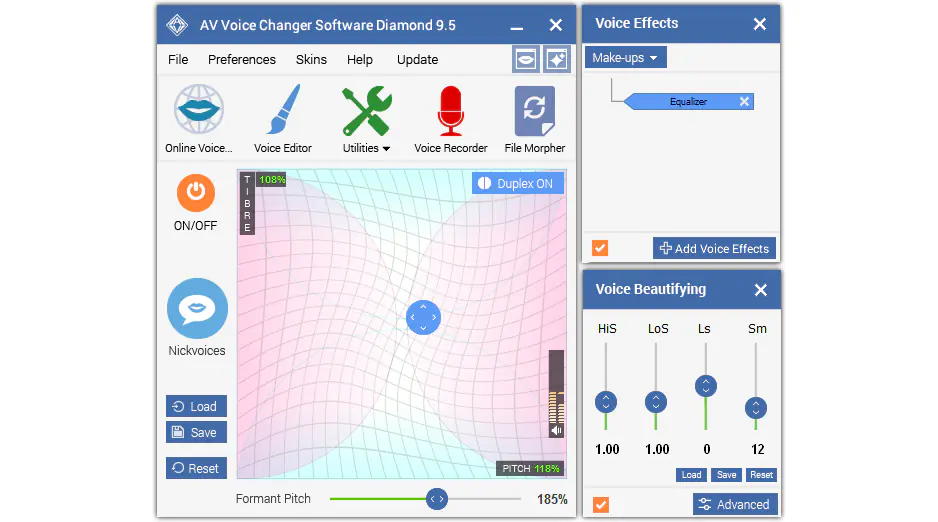
I noticed AV Voice Changer Software years ago because it doesn’t only twist your pitch, it reshapes voice traits like age, gender, and tone. This Windows‑only tool works on Vista through Windows 10 and uses advanced morphing algorithms to keep output sounding natural. You can tune pitch and timbre, combine effects, record or edit files, and save custom setups for later. The interface feels old‑school but I got control over subtle and wild voice changes alike.
A 14‑day trial gives limited access, and full licences run around $99.95 for the Diamond edition, with cheaper Gold and Basic versions also available. Downloads number in the millions and add‑on packs keep new effects coming. If you want a deep editor that can feed real‑time chat and file output alike, this one earns a look.
When you pay for the full version you get an actual audio workshop, not just a simple pitch shifter. You unlock a voice editor to cut and shape clips, a batch file morpher to convert lots of files at once, and a big library of effects with voice, background, and plug‑in filters. You also get tools like a voice analyzer, voice comparator, parody mixer, hotkeys and a virtual audio driver so your changed voice works in Discord, games, and other chat apps.
Voices come out sounding realistic
Interface is simple and easy to navigate
Works only on Windows
Full features need a one-time payment around $100
10. HitPaw VoicePea
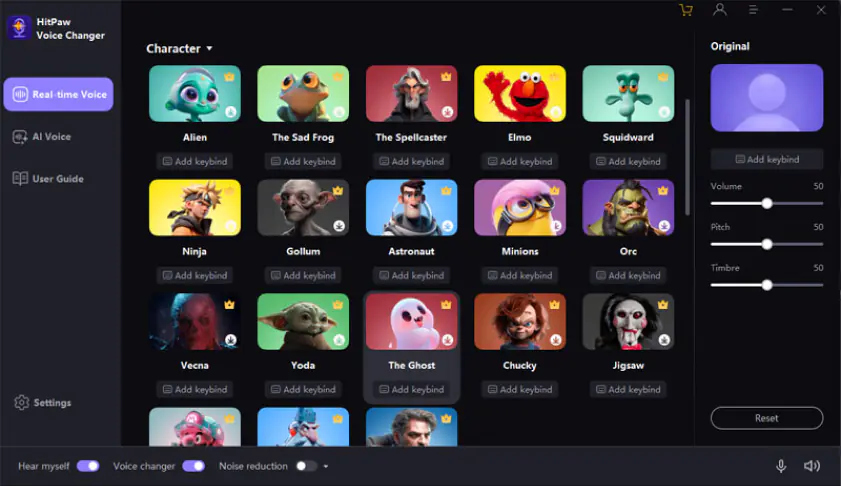
Claiming the last spot in my Discord voice changer roundup goes to HitPaw VoicePea, formerly HitPaw Voice Changer. AI powers the tool, letting you switch between more than 300 realistic voices in real time with low latency. It works on Windows 10 and 11, and MacOS 10.15 or later, and integrates with Discord, Twitch, YouTube, Zoom, and other streaming platforms. The built-in soundboard triggers meme effects like cat noises, Mario sounds, or funny fart effects instantly.
You can tweak volume, pitch, and timbre, apply noise reduction, and generate royalty-free songs or AI covers within the app. Input and output devices are easy to select, and presets can be switched instantly. The free version gives access to basic voices and limited soundboard effects. Paid plans unlock the full library, unlimited AI music generation, and advanced voice effects. Frequent updates improve stability, lower latency, and expand the soundboard, keeping streaming, roleplay, and chatting smooth and responsive.
Real-time voice modification with AI
Meme soundboard for live effects
Generate AI music and covers
Windows and Mac support
Real-time processing requires decent hardware
Full version requires purchase
Record your gameplay with Gecata by Movavi

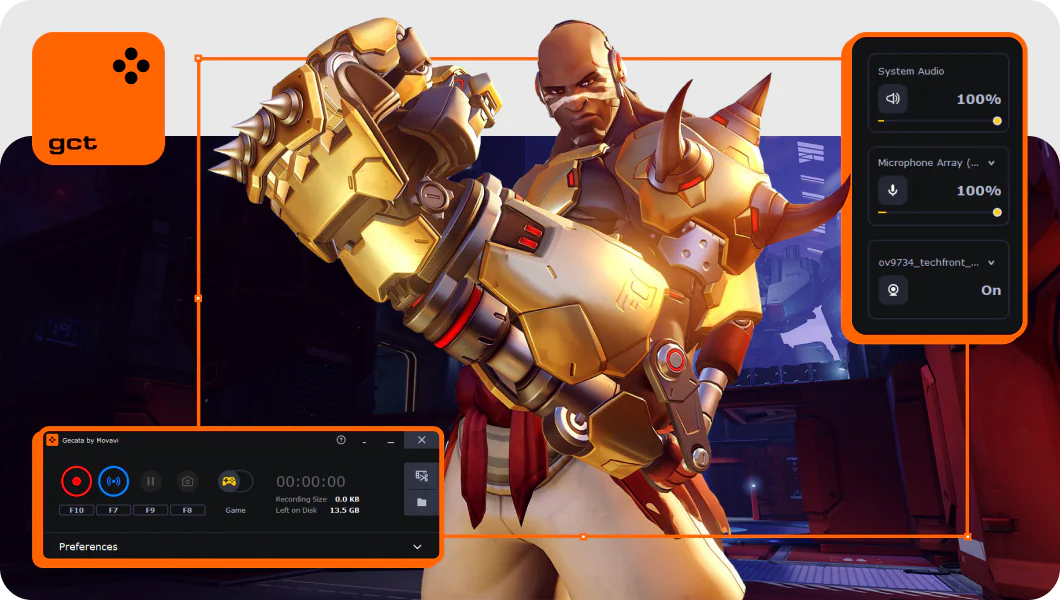
Got your voice changer set up and ready to roll? Now you need to capture the action itself. That’s where Gecata by Movavi comes in. This game recorder handles both video and audio in high quality without slowing down your gameplay. Stream live or record offline, it doesn’t matter – your footage stays smooth and detailed.
You can grab full HD clips up to 120 FPS, capture sound from both your mic and system, and even overlay your webcam if you want that personal touch. It’s simple to start recording, and the files are easy to manage afterward. Whether you’re making content, sharing highlights, or just saving epic wins, Gecata makes it straightforward.
Summary
After testing all these voice changers in real Discord calls, streams, and late-night edits, one thing became clear: sound control changes how you are perceived before you say a word. Some tools feel built for live chats, where low delay matters more than perfect tone.
Others make more sense when you record first, then edit calmly and get picky with details. I learned to ignore big promises and focus on fit: what device you are using, if you talk live or export files, if you want subtle shifts or obvious effects. The right choice fades into the background and lets you focus on the moment, not the settings.
Frequently asked questions
If you just want Discord to be fun without fiddling forever, Voicemod usually hits the sweet spot. And if you’re willing to get a complete solution it’s better to combine Movavi Video Editor with its numerous tools and Gecata by Movavi for recording game sessions. They fit nicely – simple, solid, and while one just records what’s happening without getting dramatic the second one will pump up your final video.
Streaming needs stuff that behaves live. HitPaw Voice Changer and MagicMic are popular because you flip voices mid-stream and they don’t fall apart when chat gets busy.
Clownfish is old-school but dependable. Voicemod’s free tier works too, as long as you’re fine rotating through a small set of voices instead of having everything unlocked.
Yes, and you don’t need anything fancy. Voxal runs quietly, hooks into Discord easily, and stays out of the way once it’s set.
There isn’t one king. Some tools shine in live chats, others in streams or recordings. The right pick is the one that matches how you actually talk, play, or go live — not the one with the longest feature list.



1.5M+ users already subscribed to our newsletter