
Top 7 Apps to Invert Colors on a Photo

Edit photos on your computer with Movavi Photo Editor!

  • Easy‑to‑use color and tone adjustments (brightness, contrast, saturation, hue)

  • Curves and channel controls for fine‑tuned color correction and creative effects

  • Non‑destructive editing, original image stays intact while you experiment

By clicking the download button, you're downloading a trial version of the program.*

Edited by
Ben Jacklin
4413

Have you ever looked at a photo and thought, “This would look way cooler if it broke the rules of normal colors”? Welcome to the world of color inversion where ordinary images transform into electric visually chaotic masterpieces.

Inverting colors is not just a design trick, it is a creative way that transforms ordinary images into bold, dramatic visuals. If you are experimenting with digital art, creating eye-catching social media posts, or simply curious to see your photos in a new dimension, the right app can make the magic effortless.

The best part? You do not need expensive software or advanced editing skills. There are simple, powerful apps, available on Android, iPhone, and desktop, that can flip your colors with a single tap while giving you full control over the artistic outcome.

In this guide, we break down the top seven apps to invert colors on a photo. Each app is easy to use, works fast, and brings its own unique flavor. So you can find the perfect match for your style and editing needs.

disclaimer_person
At Movavi, our primary goal is to provide you with only verified information. Here’s what we do to ensure this:
  • When selecting products to include in our reviews, we research both demand and popularity.

  • All the products in this article have been tested by Movavi Content Team.

  • We compare the key characteristics of every product, including photo scaling and cropping, object and background removal, image restoration, and other significant features.

  • We study user reviews from popular review platforms and make use of this information when writing our product reviews.

  • We collect feedback from our users and analyze their opinions of Movavi software as well as products from other companies.

Best color inverters

1. Snapseed (iOS / Android)

Why I picked: Snapseed strikes the perfect balance between powerful editing tools and ease of use. Ideal for anyone wanting to invert colors or make creative edits without needing a heavy desktop editor.

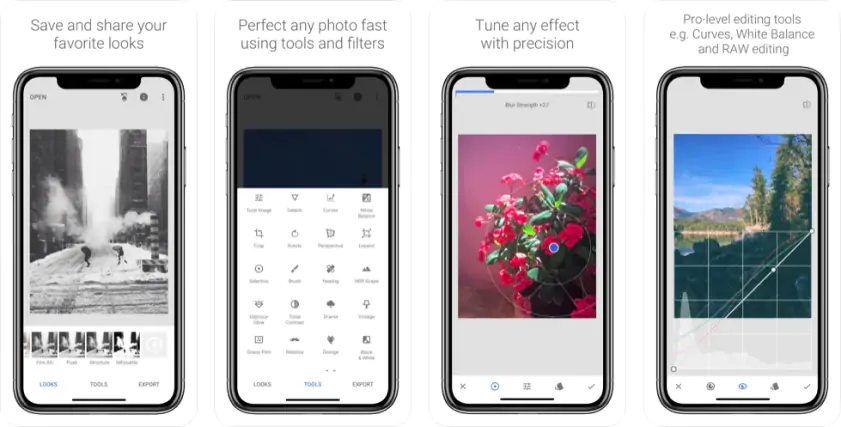
In a world full of flashy photo apps, Snapseed is like a wise old photo-editing friend who quietly gets the job done. Created by Google and available on both iOS and Android, Snapseed is a mobile editor that packs a surprising amount of power into a clean interface. For users looking to invert colors, tweak tones, or apply dramatic visual effects, Snapseed is a reliable go-to.

The way Snapseed handles color inversion and tone adjustments is clever. Although it might not be a one-button Invert Colors filter in the traditional sense, its Curves, Tune Image, and Channel Mixer / Curves tools give you precise control. Want to invert highlights and shadows? Adjust the curve. Need a stylized, surreal inversion for an artistic photo? You can manipulate color channels, experiment with saturation and contrast, and blend adjustments for the look you want.

Apart from color inversion, Snapseed offers a full suite of editing features valuable to casual users and serious users… cropping, rotating, healing brushes, selective adjustments, and a variety of filters. It supports high-resolution exports, and its non-destructive editing style makes it easy to revert changes or try different looks without fear of losing your original photo.

One of Snapseed’s greatest strengths is accessibility. Because it lives on your phone, you can transform photos on the go, no laptop or desktop required. That makes it ideal for social media creators, travelers, or anyone who wants to experiment with colors and styles while away from a computer. Even for seasoned editors, Snapseed is a quick “mobility tool” for rough edits before importing into a more advanced editor.
Ratings

Pros:
  • Precise control over colors and tones (curves, channel mixer, selective edits)

  • Wide range of editing tools beyond inversion

  • Very user-friendly for beginners, powerful enough for advanced edits

  • Fully free and ad-free (unlike many mobile editors)

Cons:
  • No single Invert Colors one-click filter… inversion requires manual adjustments (though that gives more control)

  • Lacks advanced editing features available in full desktop editors (layers, masks, advanced compositing)

  • Mobile interface is a bit cramped when doing detailed edits

Why I picked: Because it delivers professional-level photo controls that make color inversion or creative edits not just possible, but precise and powerful.

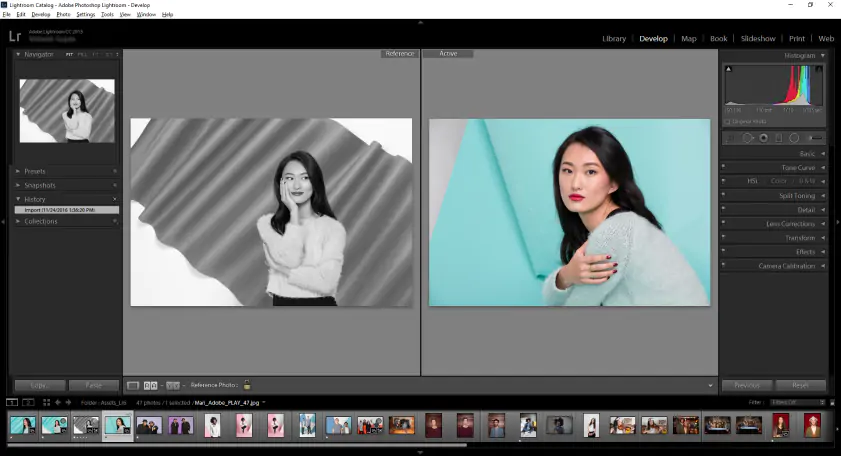
If you want more control than a simple mobile filter offers, Adobe® Lightroom® is your next logical stop. Available both as a mobile app and full desktop software, Lightroom® is a powerhouse in digital photo editing, and its color and tone tools are valuable when you want to invert colors or dramatically alter the mood of a photograph.

Unlike simpler editors, Lightroom® provides advanced controls like curves, HSL (Hue, Saturation, Luminance) sliders, split toning, exposure and contrast adjustments, and fine-grained color channel manipulations. With these tools, you can invert colors manually, desaturate or shift hues, play with shadows and highlights, or create moody, surreal, stylized visuals. This allows for creative freedom.

Additionally, Lightroom® is non-destructive. That means when you invert colors or tweak tones, your original image remains intact. You can always go back or try another color scheme without worrying about ruining your photo. This flexibility is crucial for photographers or creators who experiment often and value the ability to iterate.

Lightroom®’s performance and usability stand out as well. On the desktop, it handles high-resolution RAW photos with ease. On mobile, it offers a streamlined, intuitive interface that still retains powerful controls. For photos meant for social media, portfolios, or professional editing workflows, Lightroom® ensures consistency and quality… output images stay sharp and detailed even after multiple edits.

Ratings

Pros:
  • Extremely powerful and precise color/tone controls

  • Non-destructive editing with full flexibility to undo or re-work edits

  • Handles high-resolution photos with consistent quality

  • Works across devices, mobile and desktop, with cloud sync for convenience

  • Suitable for both creative stylization and professional photo workflows

Cons:
  • The learning curve is steeper compared to very simple editors. Beginners may need time to master curves and channel adjustments

  • Full feature set requires subscription (for desktop or mobile premium version)

  • For quick one-click inversion effects, the manual adjustment may feel more laborious than simpler filter-based apps

3. Photoshop® Express (iOS / Android)

Why I picked: Photoshop® Express brings the iconic Adobe® power to your mobile device. So, it is ideal for inverting colors and performing creative edits on the go, without needing the full desktop version.

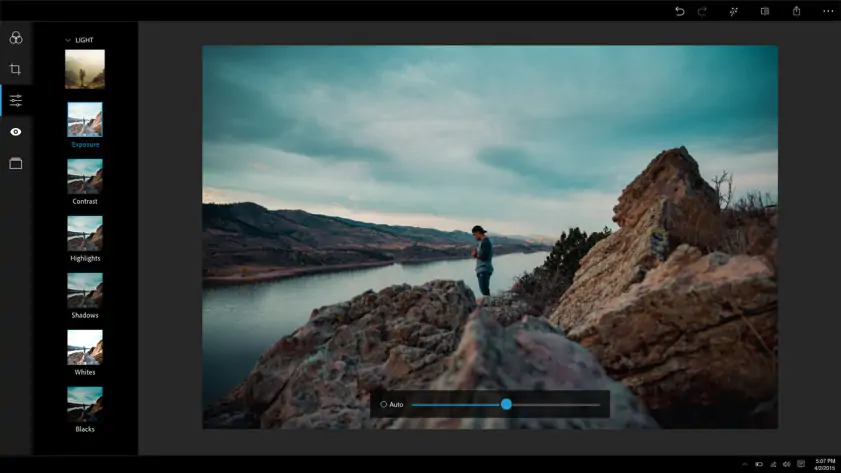
If you love Adobe® Photoshop® but need a lightweight, mobile-friendly version, Photoshop® Express is the answer. Available for both iOS and Android, this app is designed to give you essential Photoshop® tools in a sleek, intuitive interface. While it may not have every advanced desktop feature, it still offers plenty of power for creative color manipulation, including inverting colors or creating artistic effects.

Color inversion in Photoshop® Express can be achieved via a combination of filters, exposure adjustments, and tone-curves manipulation. While there is no single Invert Colors button, the app’s flexible adjustment tools allow you to create high-contrast negative images or stylized inversions. Additionally, you can adjust saturation, highlights, shadows, and temperature to refine the final look.

Beyond color inversion, Photoshop® Express has several editing capabilities: cropping, straightening, spot healing, noise reduction, blemish removal, overlays, and even creative effects like vignettes or borders. Its user interface is beginner-friendly. Plus, it integrates seamlessly with Adobe®’s cloud ecosystem, so projects can sync across devices if you also use desktop Photoshop®.

Ratings

Pros:
  • Powerful color adjustment tools suitable for inversion and creative edits

  • Intuitive mobile interface makes advanced editing accessible on smartphones

  • Includes a variety of filters, overlays, and effects to enhance photos

  • Supports cloud integration for syncing projects across devices

  • Quick edits without needing full Photoshop®

Cons:
  • No one-click color inversion; requires manual adjustments

  • Some premium features require an Adobe® subscription

  • Less control than full desktop Photoshop® for professional users

Why I picked: Pixlr is a versatile, web-based and mobile-friendly editor that makes color inversion and photo editing accessible for anyone, without the need for heavy software installations.

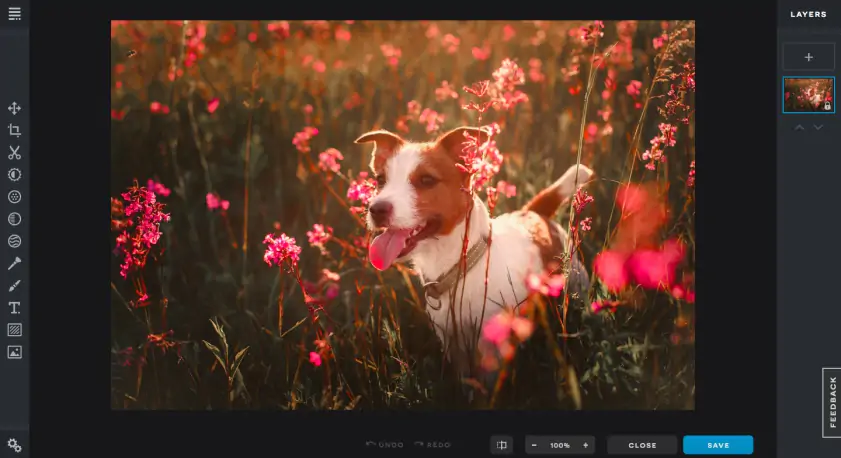
If you want a fast, flexible, and accessible solution for photo editing, Pixlr is an excellent choice. Available on both the web and mobile devices, it allows users to edit photos anytime, anywhere on the go. Pixlr’s interface is user-friendly and intuitive, making it a solid option for beginners and intermediate users who want to invert colors, adjust tones, or apply creative effects.

For color inversion, Pixlr offers several approaches. You can use the Adjustment tools to manipulate curves, levels, and channels, achieving precise negative effects or experimental color swaps. Filters and effects also allow you to create dramatic artistic edits quickly, without needing complex manual adjustments.

In addition, Pixlr has features like cropping, resizing, overlays, stickers, and text insertion, along with a variety of filters and automatic corrections. The web version is powerful with high-resolution editing without requiring downloads, while the mobile app offers convenience for quick edits on the move. The combination of these features makes Pixlr a reliable, all-around editor for casual creators and social media enthusiasts alike.

Ratings

Pros:
  • Accessible on both web and mobile with no heavy software required

  • Flexible color adjustment tools for inversion and tone manipulation

  • Variety of filters and effects for creative edits

  • Quick, intuitive interface for beginners and intermediate users

  • Supports high-resolution image editing in the web version

Cons:
  • Some advanced features are behind a paid subscription (Pixlr X / Pixlr E Pro)

  • Mobile interface can feel slightly limited compared to web version

  • Manual color inversion may require experimentation for precise results

Why I picked: GIMP is a free, open-source tool that offers professional-grade photo editing capabilities without any cost.

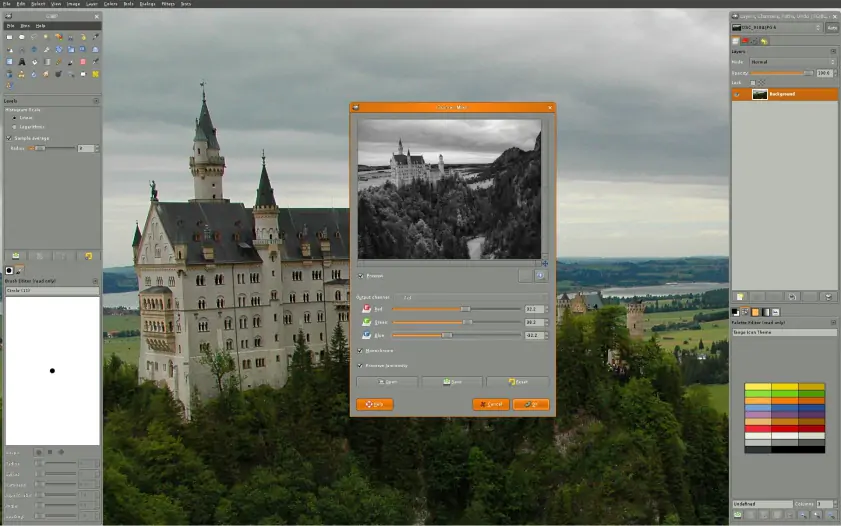
For those who want desktop-level photo editing without paying for expensive software, GIMP (GNU Image Manipulation Program) is a standout choice. Available on Windows, macOS, and Linux, it provides a comprehensive suite of tools that rival professional editors. So, it is ideal for inverting colors, adjusting tones, or performing creative visual manipulations.

GIMP allows you to invert colors with a single click using the Invert function, or manually adjust color channels and curves for more refined effects. You can target specific areas of an image, blend layers, or create artistic negative-style images with complete control. Unlike simpler mobile editors, GIMP’s flexibility lets you experiment freely and achieve results that match professional-quality outputs.

This tool also includes powerful features such as layer support, masks, selections, filters, and a wide range of plugins contributed by the community. So, it is suitable not just for color inversion, but for full-scale photo editing, compositing, and even digital art projects. The open-source nature of GIMP means it is continuously improved and supported by a dedicated community of developers and users.

While GIMP can feel intimidating at first due to its extensive toolkit, it has unparalleled creative control. Beginners can start with basic edits, while advanced users can exploit its full power for intricate color manipulations and professional-grade workflows.

Ratings

Pros:
  • Completely free and open-source, no subscription required

  • Powerful color and tone editing tools, including precise inversion and curves

  • Full support for layers, masks, and advanced compositing

  • Strong community support with plugins and tutorials available

  • Cross-platform support for Windows, macOS, and Linux

Cons:
  • Steeper learning curve compared to simpler mobile or web apps

  • Interface may feel overwhelming for beginners

  • Lacks mobile or web versions, desktop only

Why I picked: Darkroom offers a sleek, modern interface with powerful editing tools designed specifically for Apple devices.

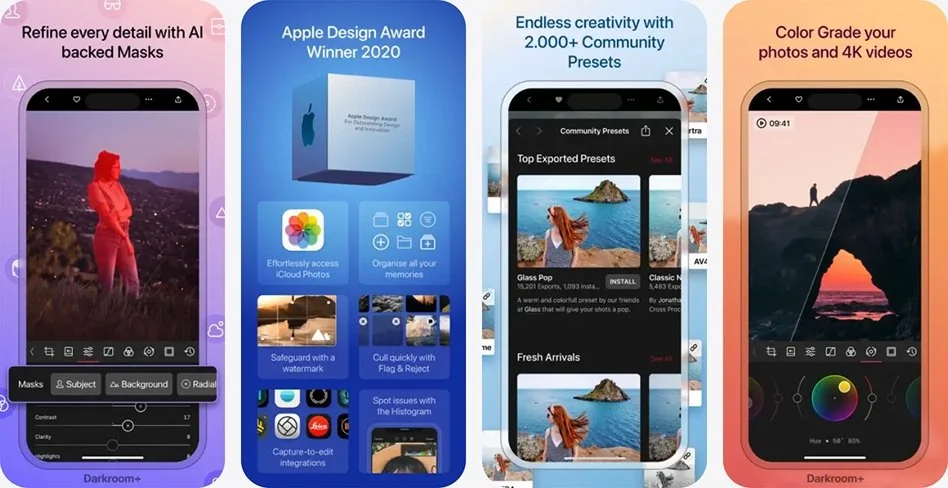
If you are an iPhone or Mac user seeking a professional-quality photo editor that’s fast and stylish, Darkroom is a compelling option. Designed to leverage Apple’s ecosystem, it delivers high-performance editing tools that cater to photographers and creative enthusiasts who want precise control over their images.

In Darkroom, color manipulation is highly versatile. You can adjust curves, tweak individual color channels, or experiment with presets and filters to create striking visual effects. Whether you are aiming for a bold, artistic look or subtle stylistic adjustments, Darkroom’s interface makes it easy to experiment and achieve the desired result quickly. Its real-time previews ensure that every change is visible instantly, letting you fine-tune your edits with confidence.

The app is also optimized for workflow efficiency. Darkroom supports batch editing, RAW photo processing, and seamless integration with Apple Photos, so you can manage and edit your entire library without leaving the app. Tools such as selective color adjustments and tone mapping allow you to highlight details, alter moods, or produce creative compositions. Perfect for social media, personal projects, or professional portfolios.

Ratings

Pros:
  • Modern, intuitive interface optimized for iOS and macOS

  • Powerful tools for adjusting tones, colors, and details

  • Supports RAW files and batch editing for efficient workflows

  • Real-time previews for precise edits

  • Integration with Apple Photos streamlines photo management

Cons:
  • Some advanced features require a subscription

  • Less suitable for users who prefer simple, one-tap effects

Why I picked: Polarr is a cross-platform editor that combines powerful color and tone adjustment tools with an accessible interface. So, it is ideal for creative photo editing on any device.

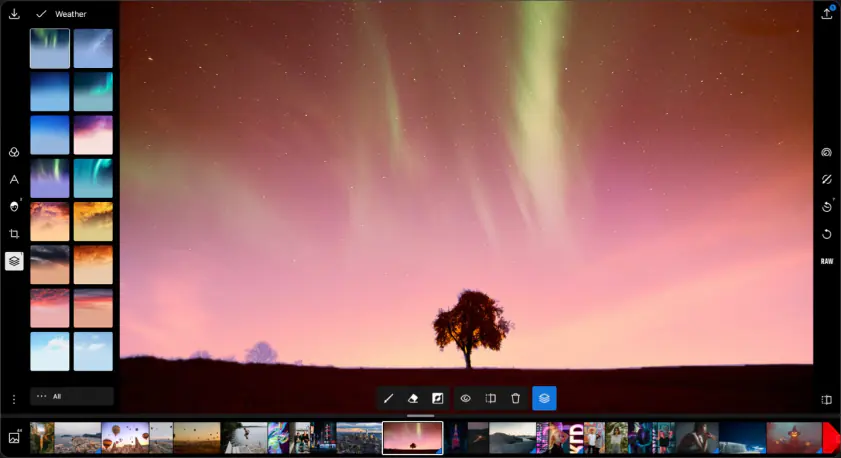
Polarr is designed for users who want a feature-rich photo editing experience without the complexity of desktop-only software. Available on the web, iOS, and Android, Polarr provides an excellent balance of creative control and ease of use. Its wide range of tools allows users to adjust colors, tones, and effects in ways that can transform ordinary photos into visually striking images.

Polarr excels at color manipulation and creative enhancements. You can fine-tune brightness, contrast, saturation, and hue or dive deeper into curves and color channel adjustments for more precise control. The app also offers pre-made filters that can be customized, giving users flexibility to experiment with unique visual styles.

Apart from its color and tone controls, Polarr provides additional features for comprehensive editing. Its web version is convenient for users who prefer editing without installing software, while the mobile app ensures you can tweak photos on the go. Polarr’s interface is clean and beginner-friendly, yet powerful enough to satisfy more advanced editing needs.

Ratings

Pros:
  • Cross-platform availability. Web, iOS, and Android

  • Flexible tools for color and tone adjustment, including curves and channels

  • Customizable filters and creative presets

  • Beginner-friendly interface with advanced options for experienced users

  • Supports layers, masking, and overlays for more sophisticated edits

Cons:
  • Some advanced features require a premium subscription

  • Mobile interface can be slightly limited compared to the web version

  • Learning curve for beginners who want to use advanced tools like curves and masks

Edit your pictures on a computer with Movavi Photo Editor

While apps like Snapseed and Darkroom provide excellent tools for mobile or web-based edits, nothing quite matches the combination of power, simplicity, and versatility offered by Movavi Photo Editor on a computer. Unlike mobile apps, which often compromise precision for convenience, Movavi brings desktop-level control to your fingertips, allowing you to achieve professional-quality results without a steep learning curve.

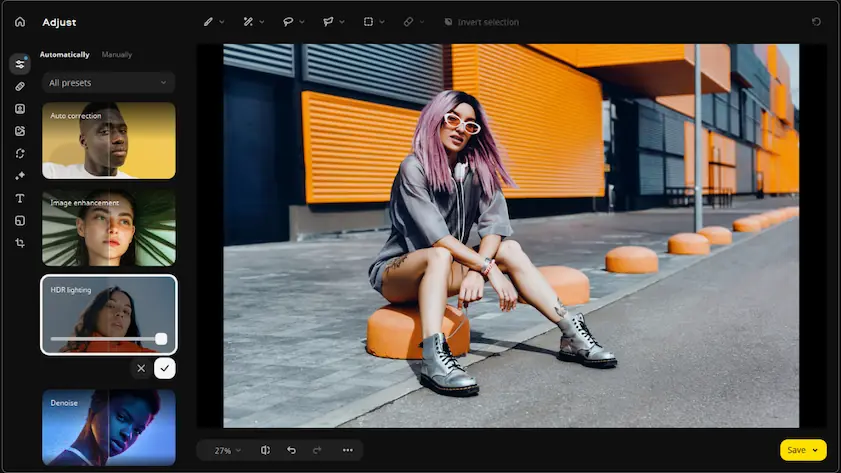
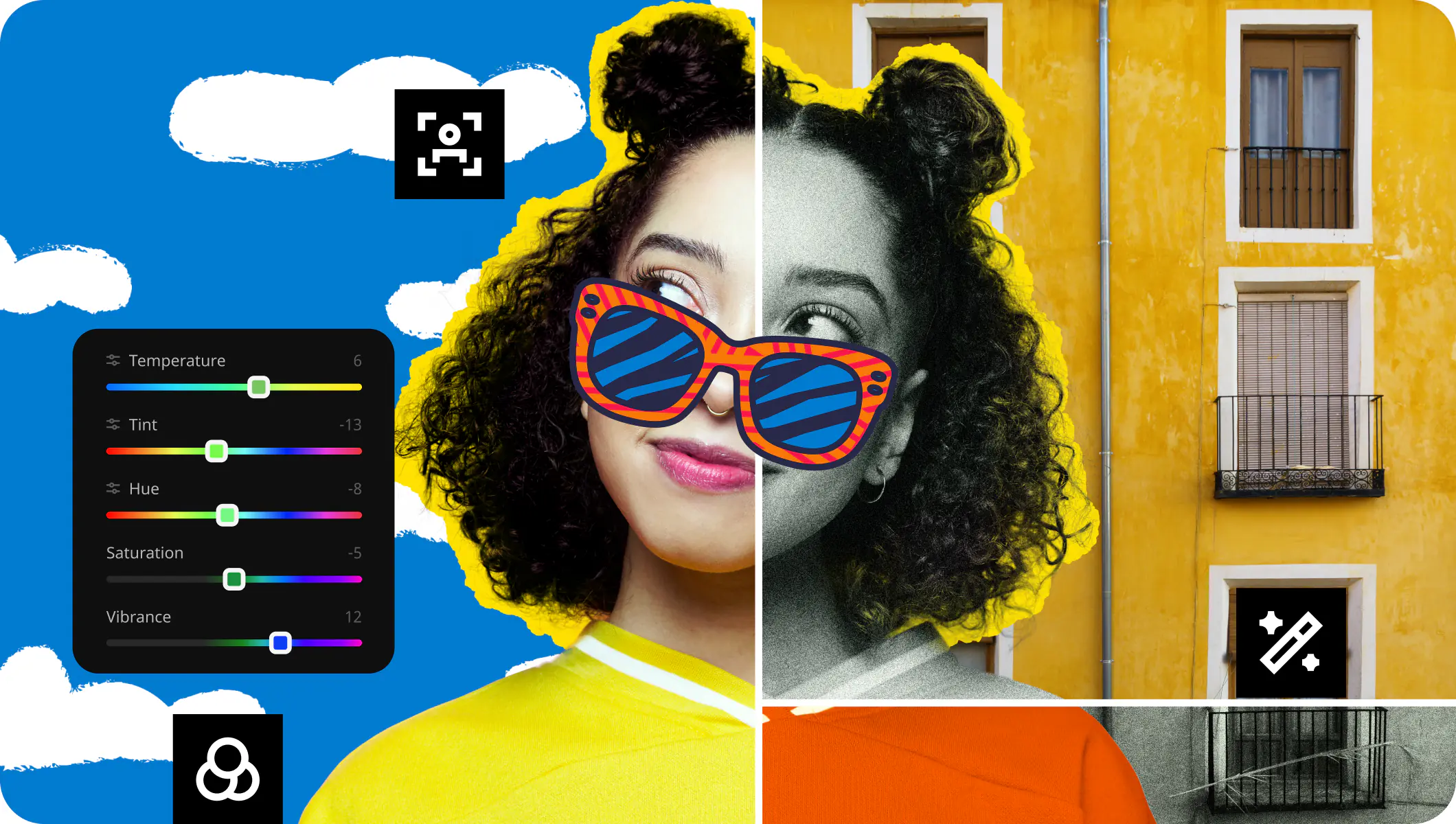
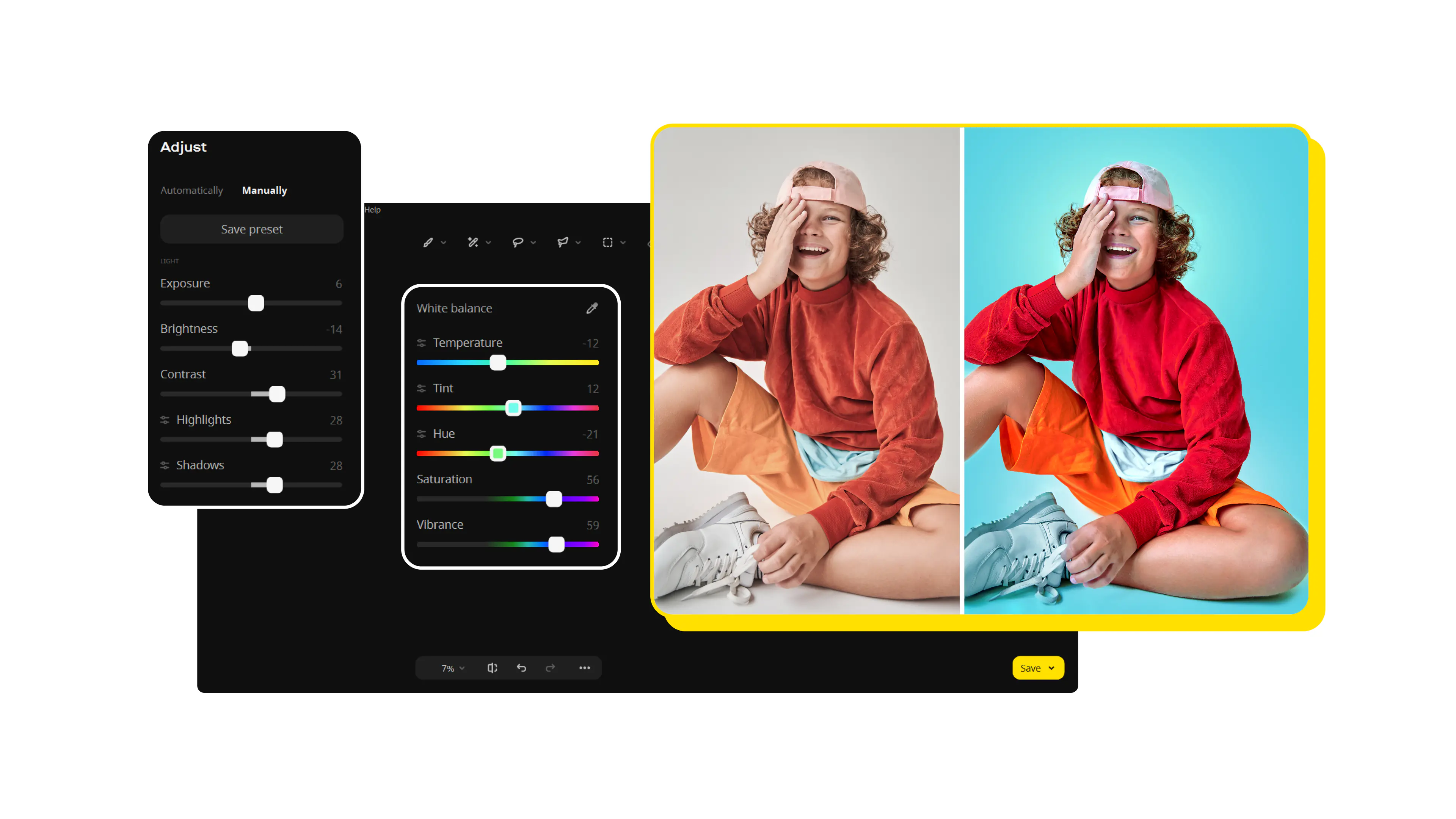
With Movavi Photo Editor, color adjustments, tone manipulations, and creative effects are all intuitive. You can invert colors, adjust curves, fine-tune individual channels, and apply filters or artistic effects in just a few clicks. Its non-destructive workflow ensures your original image stays intact while you experiment freely, making it easy to try bold edits without worrying about losing your work.

Beyond basic adjustments, Movavi excels in automation and smart tools. Its AI-powered features let you remove backgrounds, restore old photos, or enhance image quality instantly. These tools save time while still giving you professional-looking results, something many other photo editors cannot match.

If you’re a casual creator looking to enhance social media photos or a more serious user aiming for high-quality edits, Movavi Photo Editor strikes the perfect balance between accessibility and power. Its interface, advanced editing tools, and intelligent automation clearly set it apart from mobile and web-based alternatives. So, Movavi is the best app to invert colors on a photo.

Summary

Inverting colors on a photo can completely transform its look, turning ordinary images into eye-catching, artistic creations. From mobile apps like Snapseed, Photoshop® Express, and Darkroom, to cross-platform editors like Polarr and desktop powerhouses like GIMP, there are plenty of tools to experiment with color manipulation. Each app has its strengths: Snapseed and Darkroom are perfect for quick, intuitive edits; Polarr offers flexible control across devices; and GIMP provides professional-grade editing for free.

However, when it comes to editing on a computer with a combination of precision, ease of use, and advanced features, Movavi Photo Editor stands out. Its AI-powered tools, and non-destructive workflow make it the ultimate choice for anyone looking to achieve professional-quality results quickly and efficiently.

Movavi Photo Editor
Easily enhance images and get professional-grade results in a snap.

*The trial version of Movavi Photo Editor has the following restrictions: you can save up to 10 images with added watermark, screenshots are disabled.

Movavi Photo Editor

Frequently asked questions

What does it mean to invert colors in a photo?

Inverting colors swaps each color in an image with its complementary color. For example, black becomes white, red becomes cyan, and so on. This creates a “negative” or surreal visual effect that can make your photos more striking or artistic.

Which app is best for beginners?

For beginners, Snapseed and Photoshop® Express are ideal. They have intuitive interfaces, one-touch adjustments, and simple tools to experiment with color inversion without overwhelming the user.

Can I invert colors on both mobile and desktop?

Yes. Apps like Polarr and GIMP support multiple platforms. Snapseed, Darkroom, and Photoshop® Express are primarily mobile, while GIMP and Movavi Photo Editor offer better desktop experiences.

Are these apps free to use?

Most apps have free versions. Snapseed, GIMP, and basic features in Polarr are free. Photoshop® Express, Darkroom, and Movavi Photo Editor require subscriptions or in-app purchases to unlock advanced tools.

How precise is color inversion with these apps?

Apps like Movavi Photo Editor, GIMP, and Polarr allow precise adjustments using curves and color channels, letting you invert colors exactly the way you want. Mobile apps often use presets or filters, which are simpler but less customizable.

Can I edit high-resolution photos with these apps?

Yes, most apps support high-resolution images. Movavi Photo Editor, GIMP, and Polarr handle large files efficiently, while mobile apps like Snapseed and Darkroom are optimized for smartphones and tablets.

Have questions?
Have questions?
If you can’t find the answer to your question, please feel free to contact our Support Team.
Join us for discounts, editing tips, and content ideas

1.5M+ users already subscribed to our newsletter

By signing up, I agree to receive marketing emails from Movavi and agree to Movavi's Privacy Policy.