Top 12 Free and Paid Loom Competitors in 2025

  • Capture everything, not just your browser tabs
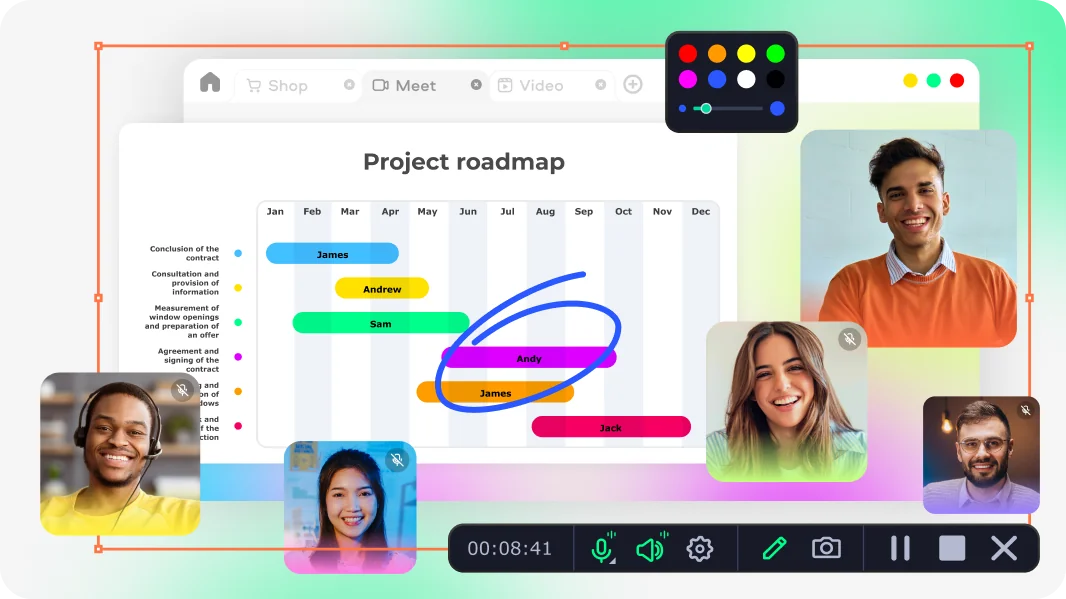
  • Highlight keystrokes and mouse actions
  • Draw on videos in real time

Free online screen recorder

  • Webcam
  • Microphone
  • Sound
  • Watermark

Supported browsers: Google Chrome, Mozilla Firefox, Microsoft Edge, Opera

Edited by
Ben Jacklin
4368

Key takeaways

  • The best Loom alternatives in this roundup include Movavi Screen Recorder, Screencapture.com and a handful of other tools. Some of them combine screen recording, editing, and sharing features.
  • Pros across the tools: ease of recording, editing, AI-assisted features, and cross-device support. Cons: some free plans limit features or recording time.
  • Choosing the best screen recording software rests on several factors: your workflow, device compatibility, and whether you need AI capabilities or interactive elements.
  • To get clear tutorials or presentations, record both screen and webcam together and use built-in editing tools to trim and highlight important parts.

People often look for the best Loom alternatives because they want more flexibility, extra features, or better performance than Loom offers. I spent the last few weeks testing over a dozen screen recording tools that claim to be “best screen recording software on par with Loom.” I tried each one for real‑world tasks: client demos, bug reports, internal trainings, and small tutorials. Some apps surprised me. Others disappointed. My goal: find tools that work when I need clarity, speed, or polish – often all three. Below is my honest, up‑to‑date Loom vs. alternatives comparison.

My top picks

Best all‑rounder: Movavi Screen Recorder – reliable for screen + webcam capture, editing, and scheduling.

Best quick & light option: Screencapture.com – no install, works in browser, perfect for fast one-off recordings.

Best for polished tutorials & demos: Tella – flexible layout, easy trimming and clip reuse.

Best for structured & AI‑enhanced content: Clueso – auto voiceovers, script cleanup, translation; good for guides and documentation.

Best for simple sharing + screenshots: Jumpshare – screenshot + video + file sharing in one place.

Best open-source recorder: OBS Studio – totally free, highly customizable, great for power users.

Best browser‑based recording extension: Screenity – easy in-browser capture with annotations.

Comparison table: Best apps like Loom

Software

OS

Strengths

Weaknesses

Download

Windows, macOS

Full‑screen + webcam + audio capture, scheduling, real‑time annotation, 4K export

Watermark in the trial version

Web (any OS)

Quick in‑browser capture, no install, real‑time annotations, local storage

Browser version unstable for long recordings, limited editing

disclaimer_person
Our goal is to provide you with only verified information. To ensure this, Movavi Content Team does the following:
  • When selecting products to include in our reviews, we research both demand and popularity.

  • The team tests all the products mentioned in this article.

  • When testing, we compare the key characteristics of the products, which include selecting capture area, schedule recording, showing keystrokes and mouse, and other significant features.

  • We study user reviews from popular review platforms and make use of this information when writing our product reviews.

  • We collect feedback from our users and analyze their opinions of Movavi software as well as products from other companies.

Best Loom alternatives

  • Why I picked it

    It just works and delights me. I start recording, and somehow the layout, audio, and everything else just clicks

  • OS

    Windows, macOS

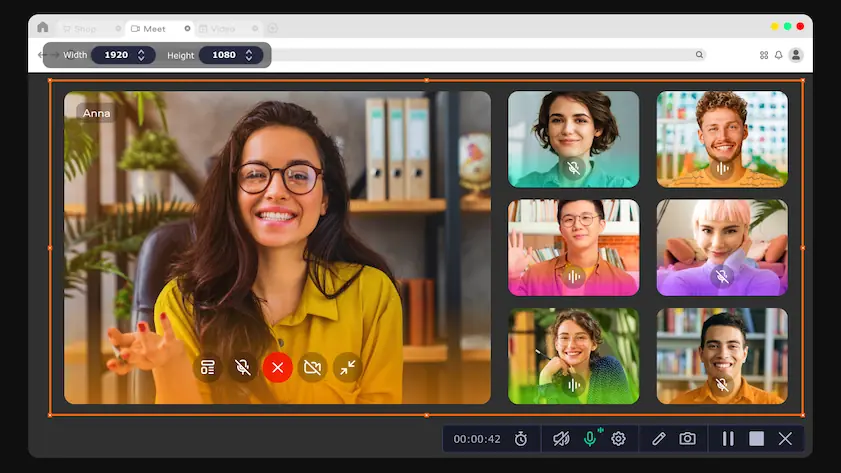
Movavi Screen Recorder handles full-screen or custom-area captures, grabs system audio and webcam, and lets you mark up the video while recording. It tracks keystrokes and mouse clicks, schedules recordings, and exports in several formats.

I’ve used it for client demos, recording webinars, and keeping track of internal meetings – all without fiddling with settings. The latest version, 24.7, was released on November 10, 2025. In that update, the team focused on stability; it’s smoother now, with fewer glitches when switching tasks.

I like how I can record full screen or just a region, plus grab my webcam or system audio in separate tracks. Real-time drawing and cursor highlighting make my instructional videos way clearer.

After recording, I trim, split, and annotate right inside the app. I’ve also used the scheduling feature to automatically start recording webinars when I’m away. Because defaults work for me, I rarely tweak them, and that’s a win.

Ratings

4.5/5

Pros:
  • Very intuitive UI for screen + webcam capture

  • High‑quality output (HD/4K), with multiple export formats

  • Scheduler for unattended recording

  • Real-time annotation (draw, highlight)

  • Reliable updates

Cons:
  • The trial version adds a watermark

  • Why I picked it

    I fell for it because sometimes I just need a fast, no-install recorder without fuss. It handles basic tasks flawlessly when I’m in a hurry

  • OS

    web‑based (Windows, macOS, Linux via browser)

Continuing with the theme of simple, effective screen capture, I’ve also spent time with Screencapture.com. This tiny, web-hosted app lets me grab my screen in seconds. I can record a single tab, a whole window, or the full display. 

It captures system audio, microphone input, and webcam simultaneously. Once I’m done, downloading the clip takes one click.

I tested it in Chrome and Firefox, and it worked as nicely as I could wish. For more recurring projects, the desktop version adds scheduling, a clean interface, and full-page screenshot support. It’s a solid free alternative to Loom when I don’t want to open a heavy app.

Pros:
  • No installation needed, record instantly in the browser

  • Very easy to use

  • Records screen and webcam video

Cons:
  • Lacks editing options

  • Why I picked it

    It lets me shape quick demos with almost no setup. I like how fast I can move between clips when I build short tutorials

  • OS

    web-based. Android and iOS apps are available

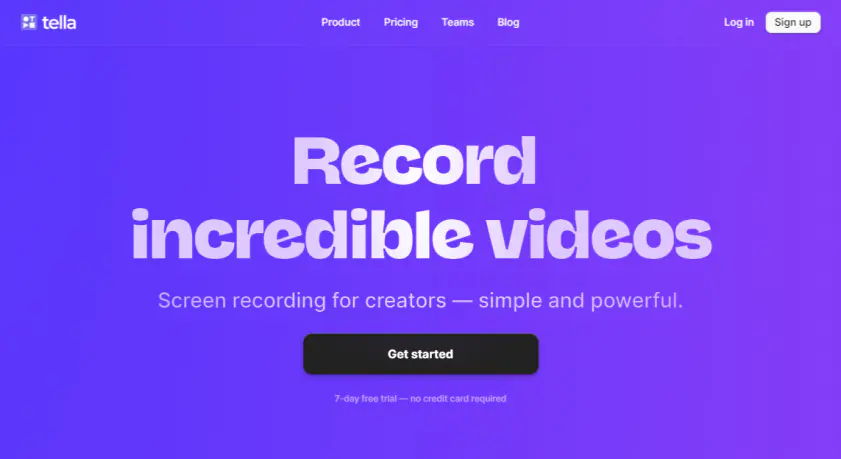
Tella keeps everything inside the browser, so I start recording without clearing space on my device. I use it for short how-tos when I need to show a workflow with both screen and camera. Switching layouts takes little effort, and the clip system helps me keep notes clean.

Longer recordings stay easy to manage because I can trim and stack parts inside one timeline. I often adjust borders, backgrounds, or layout changes when I want a cleaner rhythm in the final cut.

Subtitles are simple to edit, and portrait mode gives me a direct path to vertical posts. The latest releases improved stability and fixed several file handling bugs on both mobile versions. Language support grew as well.

Tella covers screen capture, camera capture, slides, clip reuse, trimming, splitting, zoom controls, and layout switching. It stores everything in the cloud, so I return to older clips when I need to reuse them.

Ratings

Pros:
  • Easy layout switching for screen and camera recordings

  • Clean clip system for step-by-step demos

  • Subtitles and portrait mode help with social uploads

  • Mobile apps receive regular fixes and language updates

  • Cloud storage keeps past clips available

Cons:
  • Browser recording may feel slow on older laptops

  • Heavy projects export slower than I expected

  • Limited fine-cut editing compared with full desktop editors

  • Why I picked it

    It handled rough captures in a way most Loom competitors rarely manage. It also boosted my gaming workflow when I needed fast, polished clips for friends

  • OS

    web-based

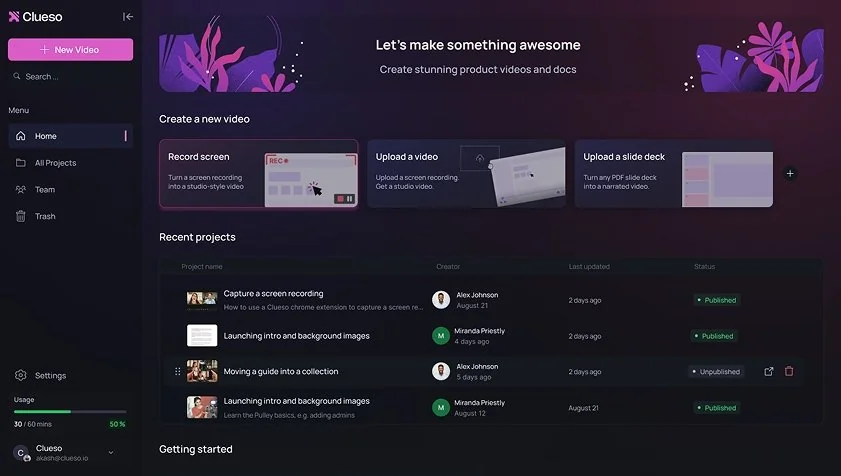
Clueso turns loose screen recordings, slide decks, and long demos into ordered walkthroughs, and it does that with short processing times. The platform uses AI to clean scripts, remove filler words, match brand tone, and adjust pacing. It replaces raw audio with clear voiceovers and adds auto zoom to highlight key actions.

Captions follow the timing of the video and stay easy to edit. It creates step-by-step documentation, SOPs, and how-to guides from the same source file, which gives it an advantage over many apps like Loom. The update log is arranged as a timeline, and each entry carries a clear note on what changed.

Testing it felt smooth. I switched between several clips, checked auto zoom on a long product flow, and used AI voiceover on a short training piece. The language tools helped me share the same file with a few international teams.

The workflow is simple: record, edit, and export. I used it for structured content, and it’s a handy platform.

Ratings

Pros:
  • Script cleanup removes filler words with good accuracy

  • AI voiceovers follow pacing and keep tone steady

  • Auto zoom helps with long process videos

  • Templates include branded intros and outros

  • Translation covers 31+ languages

  • Updates appear often and come with clear notes

Cons:
  • Very long raw files slow down processing

  • Heavy exports feel slow on older hardware

  • Lacks fine cut tools found in full editors

Quick summary of Loom alternatives

  1. Movavi Screen Recorder

    Best for full-featured recordings, including webcam and screen capture, with built-in editing and scheduling for client demos or webinars.

  2. Screencapture.com

    Ideal for fast, browser-based captures when you want a no-install solution for quick clips or short tutorials.

  3. Tella

    Use it for short tutorials and mobile-friendly recordings, with easy clip management and layout switching for step-by-step demos.

  • Why I picked it

    It gave me a way to show work instantly without breaking my flow

  • OS

    Windows, macOS, web

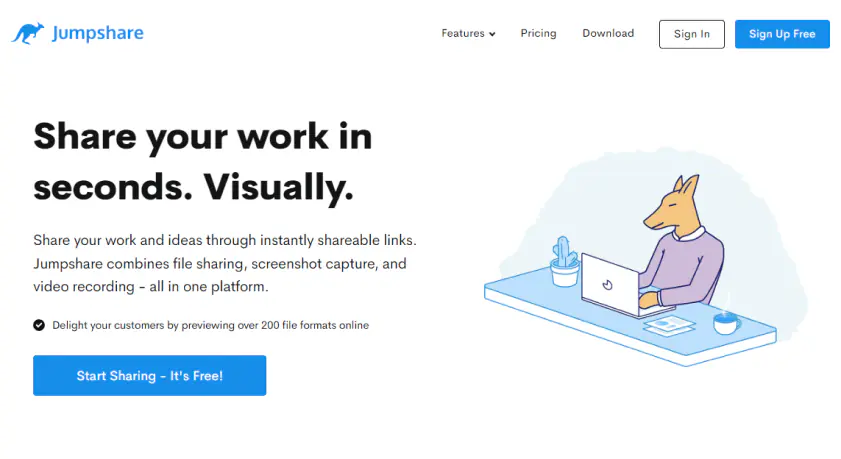
Jumpshare takes a different angle from most Loom alternatives by merging file sharing, screen recording, and screenshot capture into one place. I could drag anything into its tray and get a link right away, preview huge lists of file formats in the browser, and switch to a quick recording when I needed visuals instead of text.

The screenshot tools stand out with scrolling capture, redaction, clean backgrounds, and detailed markup that helps when explaining small UI quirks or bugs. Its AI layer adds titles, transcriptions, summaries, and chapters without needing extra tools, and the simple trim-and-join editor lets you refine recordings lightly before sending them off. Version history, viewer stats, and a customizable player keep everything organized if you work with many clients.

I also love very much apps that are well-maintained by their developers, and Jumpshare is among them. New updates show up with regular frequency, so the team behind the project is very devoted to it.

Testing it felt surprisingly frictionless: I recorded a few walkthroughs, threw in annotations, grabbed screenshots with clean backgrounds, and shared everything through links without touching cloud drives. It’s the kind of utility that stays out of the way yet speeds up feedback loops.

Ratings

4.3/5

Pros:
  • Instant link sharing for files, screenshots, and videos

  • Powerful screenshot capacities, including scrolling capture and redaction

  • AI titles, transcriptions, summaries, and chapters

  • Simple trim/join editor and customizable player

  • Version history and engagement stats

Cons:
  • Large video uploads can feel slow on weaker connections

  • Branding options sit behind paid tiers

  • Why I picked it

    It gives me total control over every source and scene in a way no other Loom competitors do. Plus, it’s free and open-source, I don’t feel stuck paying for basics

  • OS

    Windows, macOS, Linux

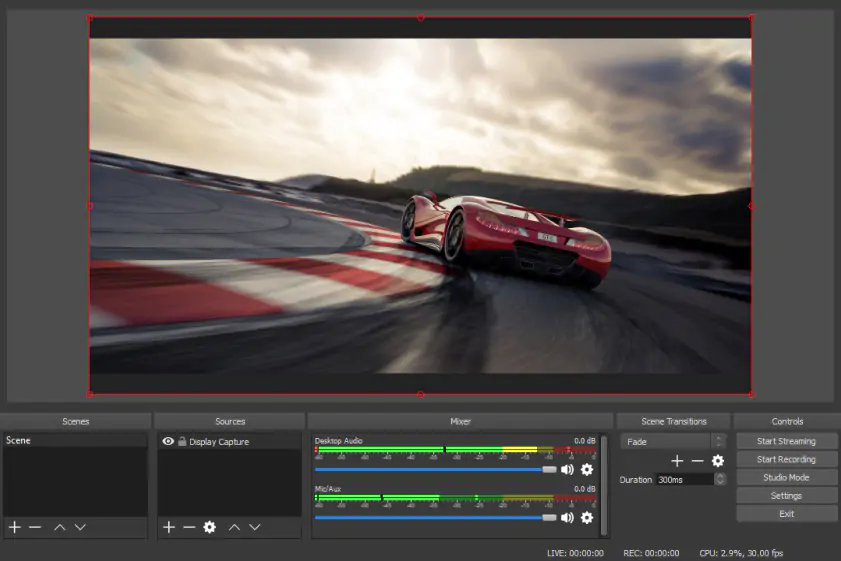
OBS Studio serves as a powerful Loom alternative because you can build custom “scenes” by combining windows, game capture, webcams, and more. I recorded a mix of gameplay and screen capture, and OBS grabbed every source finely while I switched layouts on the fly. The app supports hardware-accelerated encoding (like NVENC and Quick Sync), which is absolutely great. My recordings don’t eat up too much CPU!

You also get a real-time audio mixer with filters like a noise gate and suppression. With Studio Mode, I preview and tweak scenes before going live or starting the final capture. OBS supports plugins and scripts, which helped me tailor the workflow exactly how I like it. The project stays up to date; you can check their official site for the latest changes.

Testing it felt a little technical at first, but once I dialed in my scene setup, it became fast and reliable. I used it to record both training videos and game clips in the same project without issue.

Ratings

4.6/5

Pros:
  • Unlimited scenes and sources for complex captures

  • Hardware encoding options to reduce CPU load

  • Real‑time audio mixing with filters

  • Studio Mode lets you polish before you record

  • Open-source with plugin support

Cons:
  • Steeper learning curve than simpler screen recorders

  • No built-in advanced video editor – you need an external tool

  • Large productions can slow export or setup depending on the hardware

  • Why I picked it

    It felt like a very honest Loom alternative: no account required and no weird limits. I used it to show a tricky bug and annotate a tab instantly

  • OS

    Chrome extension (works on Windows, macOS, Linux via browser)

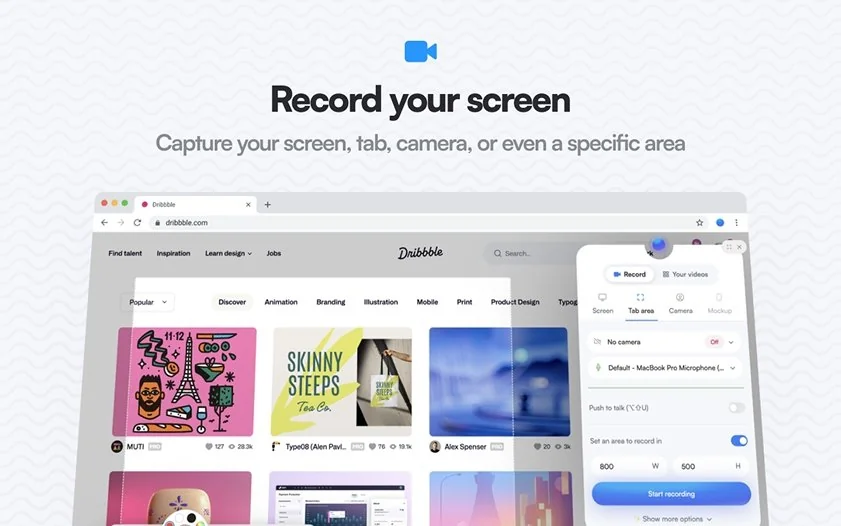
Screenity is a popular, free screen recorder for Chrome that makes capturing your screen simple and fun. You can add annotations as you go, and millions of users around the world rely on it, which makes it one of the top choices for browser-based screen recording.

One of the best Loom competitors, Screenity gives me unlimited recording time and real-time annotation while capturing system audio, webcam, or browser tabs. I recorded a full session without any cuts. The editor trims, crops, or tidies up the video when finished. Background blur on the webcam helped during a quick call. It’s open source, so my recordings stay local until I decide to export, which adds a privacy layer that users appreciate.

Seeing it in action was curious. I captured a tutorial, annotated directly on-screen, and shared it via file download rather than cloud links. For anyone looking for a free alternative to Loom with control over recordings, this one delivers.

Ratings

Pros:
  • Unlimited recording time

  • Real-time annotation features for precise marking

  • No account required; files stay local

  • Built-in editor for trimming and simple edits

  • Open-source transparency

Cons:
  • Chrome-only extension, not a full desktop app

  • Lacks advanced video effects compared to professional editors

  • Why I picked it

    It let me host polished group recordings without firing up a studio. I liked how I could bring in my team and cut video without leaving the browser

  • OS

    web‑based (works on Windows, macOS, Chrome)

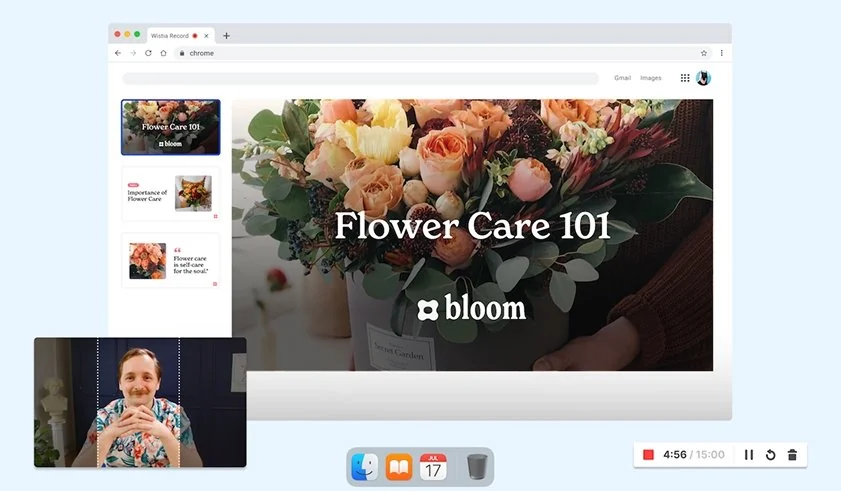
Wistia gives me four ways to record: solo, screen, team, or interviews – all with flexible, dynamic layouts that spotlight what matters. I’ve recorded panels of up to nine guests, and switching layouts during recording felt natural.

Its built-in teleprompter is smart: I can upload my own script or generate one using AI if I’m stuck. Everything I record lands in my Wistia account, where I trim, tighten, and polish audio without juggling desktop software.

I polish my voice with one click and switch between layouts while editing. Branding is simple: I drop in my logo and brand colors to keep every video on point. When I repurpose content, its AI finds strong clips and resizes them for social media. Analytics and A/B testing give me real insight into viewer behavior and retention.

The platform is well cared of, too. Wistia's recent updates focus heavily on integrating video with Artificial Intelligence and improving the recording and editing experience for users.

Ratings

4.6/5

Pros:
  • Multiple recording modes (solo, group, screen) in one tool

  • Teleprompter + AI script writing for smooth delivery

  • Browser-based editing and audio enhancement

  • Brand kits let you add logos and color schemes easily

  • AI-driven social clip generation

Cons:
  • Free plan can limit how many videos you can record

  • Group recording and high-level branding require paid tiers

  • Some marketing/webinar tools only unlock on higher-priced plans

  • Why I picked it

    It became my go-to after testing a handful of Loom alternatives, since it gives me more than just screen recording. I love that it turns videos into real, usable content for my team

  • OS

    Windows, macOS, iOS, Chrome

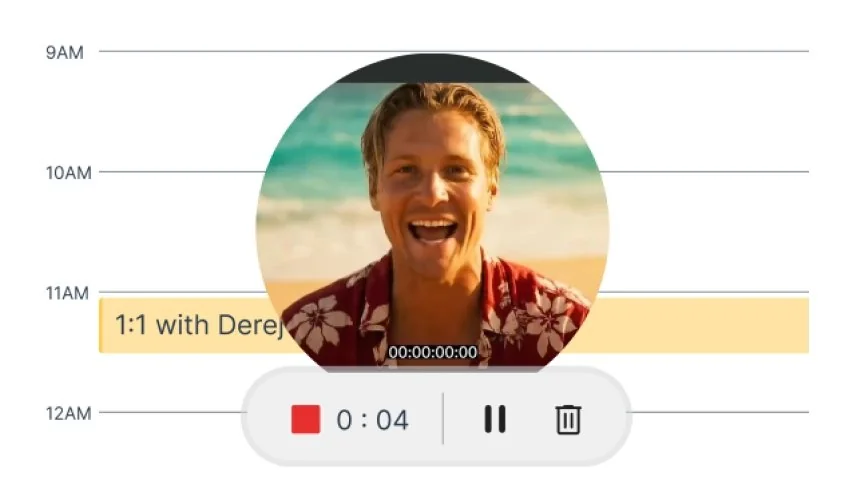
I can define Zight as an all-in-one visual communication and screen recording software. It’s used to share quick videos, images, and GIFs as shareable links. Zight lets you record your screen, webcam, and mic all at once in high definition. It does empower you to make elegant videos effortlessly! The project’s team is on a mission to reduce miscommunication by using visual communication tools. Good on them.

You can also take screenshots of full or partial screens, then annotate them with text, arrows, shapes, or even emojis. Need a quick GIF? Zight can turn any screen activity into one. After capturing, it generates a short shareable link that works with Slack, Jira, Gmail, Asana, and more.

Your content goes straight to Zight’s cloud storage, which keeps everything synced and accessible. You decide who sees what, links can be public or private for secure sharing. Zight runs on Mac and Windows via desktop apps, offers a Chrome extension, and supports iOS, so you can work from any device.

Ratings

4.6/5

Pros:
  • Smart Actions convert video into a guide or report

  • Flexible editing: trim, crop, merge clips

  • Annotation tools for clarity during or after recording

  • Auto-transcription, AI titles, and summaries

  • Secure share links with privacy control and multi-platform integration

Cons:
  • Some AI features require the paid add‑on

  • Free plan limits recording length

  • Heavy reliance on the internet for cloud-based editing and sharing

  • Why I picked it

    It works well for enterprise training or large-scale video libraries

  • OS

    web-based (SaaS or self-hosted; works across Windows, macOS, mobile devices)

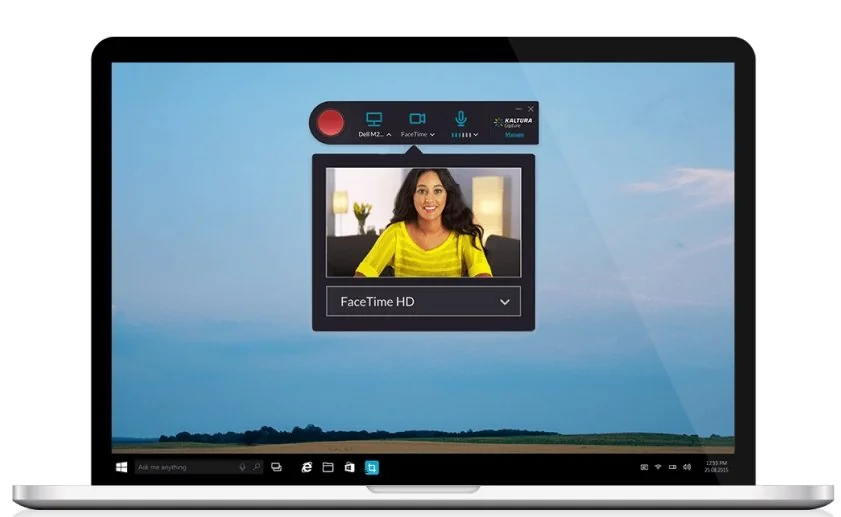
The best way to describe the platform Kaltura is to name it a full-scale video hub. Not just a recorder, but a whole platform where you upload long demos, training videos, webinars, and courses, organize them into channels, control who sees what, and track how people watch. As a Loom alternative, it isn’t about quick clips. Kaltura is about managing a big, structured video library with permissions, analytics, and a branded portal.

So, I put it through its paces. I uploaded my product demos and training sessions into a custom MediaSpace portal, sorted them into galleries, set access rules for different teams, and checked the analytics to see where viewers dropped off or rewatched. It gave me way more control than tossing random links into chats.

Ratings

4.3/5

Pros:
  • Great for big libraries; everything stays organized and searchable

  • Permissions and channels make sharing with teams super controlled

  • Analytics tell you who watched, how long, and where they bailed

  • Works with LMS platforms for training or onboarding hubs

Cons:
  • Takes time and setup, definitely not “record and go”

  • No real editing utilities built in

  • Pricing leans enterprise, so not ideal if you're on a circumscribed budget

  • Why I picked it

    I went with Boomshare because I needed an async video tool that could handle scripting, dubbing, and sharing for me – something that saves time instead of creating more work

  • OS

    available on desktop (Windows/macOS), browser, and mobile

Boomshare works like an AI-powered async video engine that turns quick recordings into fully structured, branded videos without me doing any real editing. As a Loom alternative, it goes way beyond basic screen capture. I can drop in a voice note, and Boomshare instantly scripts, formats, and dubs it into a clean video in whatever language I need.

I’ve used it to replace long status calls and product walkthrough meetings by recording once and letting Boomshare handle everything from voiceover to captions to styling. It also generates documents, summaries, and task lists from my videos, so my team stays aligned without jumping on calls.

The built-in screen recorder feels simple, but the magic is everything that happens after I hit stop. Sharing is frictionless, Boom gives me a link I can drop into Slack or Notion, and people can comment asynchronously.

Ratings

5.0/5

Pros:
  • AI turns raw recordings or voice notes into finished, branded videos automatically

  • Multilingual dubbing, captions, summaries, and document generation save tons of time

  • A free-forever plan with no feature locks is honestly wild

Cons:
  • Heavy AI automation means less control for people who prefer manual editing

  • Light advertising may bother teams that want a fully clean workspace

  • Why I picked it

    It’s an intuitive solution that helps you capture, create, and share videos and images for authentic and effective visual communication

  • OS

    Windows, macOS, iOS, Android, Chromebook

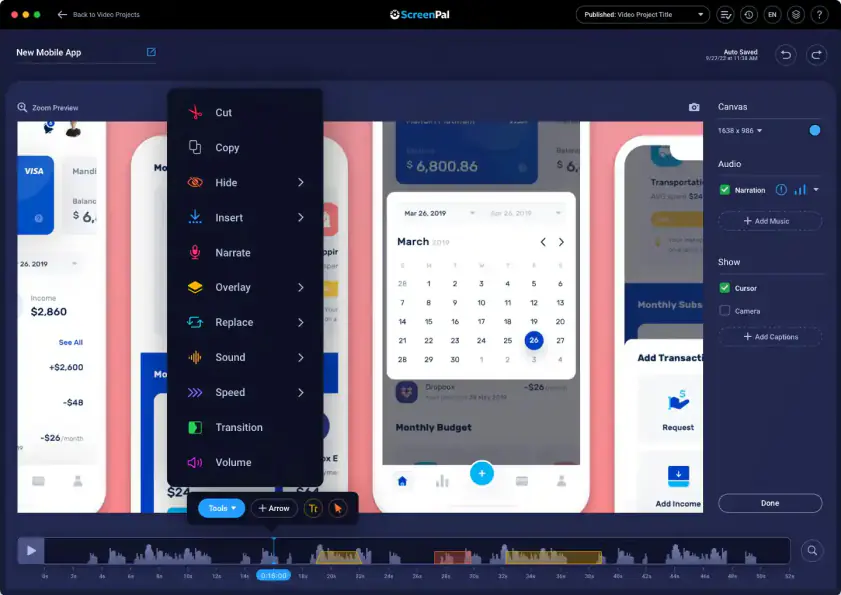
ScreenPal closes my thoroughly tested roundup of the best Loom alternatives. Last but not least effective, I must say. It combines screen and webcam recording, video editing, AI features, and hosting all in one platform. ScreenPal works on Windows, Mac, iOS, Android, and Chromebook. Thanks to that, I could move between devices without friction.

Recording both my screen and webcam at the same time made tutorials clearer and more engaging. The editor allowed me to trim clips, cut sections, add text, overlays, and music with ease.

AI-generated captions, transcripts, chapters, and summaries saved a lot of time on manual work. Translation and AI voiceover in over 100 languages let me reach a broader audience. Interactive quizzes and buttons helped me get immediate feedback from viewers. Cloud hosting, link sharing, and embedding made collaboration and distribution straightforward.

The software receives enough TLc from its developers, which is so visible through the constant updates and additions.

Ratings

4.5/5

4.4/5

Pros:
  • All-in-one solution

  • Strong AI features

  • Easy collaboration

  • Cross-device support

Cons:
  • Free plan limits recordings to 15 minutes

  • Some advanced AI features require a paid plan

How to choose an app like Loom

I expected compromises when I searched for Loom alternatives. Instead, I found a field full of solid tools, each tuned for different needs. Some stay light, some dive deep. Some stay free, others feel like mini studios.

What matters most depends on what you want to do with video. For me, Movavi Screen Recorder beats the crowd. It tackles full-featured recordings, webcam, screen capture, and editing without breaking a sweat. 

Need a quick bug report? Browser-based Screenity, Jumpshare or websites like Screencapture.com get the job done fast. Want polished tutorials or demos? Tella, Clueso, or ScreenPal tick the box. Recording a live game or complex multi-window session? OBS gives total control. If you value annotation, screenshots, and quick sharing, Zight fits well.

The takeaway is simple: you don’t have to stick to one platform. Screen-recording software has matured, and with the right choice, you can often find something that fits your workflow better than Loom.

Movavi Screen Recorder
The perfect way to record anything from your screen

Disclaimer: Please be aware that Movavi Screen Recorder does not allow capture of copy-protected video and audio streams.

Movavi Screen Recorder

Frequently asked questions

Is there a better alternative to Loom?

Yes. Many tools offer features Loom lacks: more editing power, AI support, multi‑format export, and better device support. for the best Loom alternative hands-down, you can safely consider Movavi Screen Recorder, Screencapture.com, and Tella.

What replaced Loom?

No single tool replaced Loom. Instead the market expanded. Apps like Movavi Screen Recorder, Tella, Clueso, ScreenPal, and OBS provide different strengths depending on what you need.

What do most YouTubers use to record their screen?

Many use OBS Studio for full control and flexibility. Others prefer tools like Movavi or ScreenPal when they need easier editing and quick export.

Does Microsoft have a tool like Loom?

Not exactly. Some Microsoft tools support screen capture or video recording (like in PowerPoint or Teams), but none match the full workflow of capture, edit, host, and share in one package.

Does Google have something like Loom?

Google offers screen recording via Chrome extensions, but nothing official with full editing, hosting, and analytics like the tools listed above.

Have questions?
Have questions?
If you can’t find the answer to your question, please feel free to contact our Support Team.
Join us for discounts, editing tips, and content ideas

1.5M+ users already subscribed to our newsletter

By signing up, I agree to receive marketing emails from Movavi and agree to Movavi's Privacy Policy.