
10 Best TikTok Alternatives to Try in 2026

Try Movavi Video Editor!

  • Trim, cut, crop, and rotate videos
  • Add titles, stickers, and transitions
  • Apply visual effects

By clicking the download button, you're downloading a trial version of the program.*

Edited by
Ben Jacklin
5315

Key takeaways

  • I tried 10 apps like TikTok to see which ones actually make short videos fun and easy, from Snapchat filters to Funimate (which is rather all about effects than social posting).
  • Some brands grab attention fast, like Reels and YouTube Shorts. Others, like Zoomerang, are more about experimenting with editing and collabs.
  • Pros and cons jump out clearly: AR effects and trends can be addictive, but smaller audiences, limited sounds, or clunky tools slow you down.
  • Every platform has limits – some cap video length, some hide features behind paywalls, and some just don’t show your content widely.
  • Picking a tool comes down to what matters most: quick posting, exploring trends, or pushing your creative side with edits and effects.

No app has blown up like TikTok. By 2026, it still draws about 1.6 billion monthly users worldwide (that’s an eye-popping number to me). It once started as Musical.ly in 2016, and its success since then has been roaring.

Still, not everyone wants the same vibe, some people seek simpler tools, smaller communities, or more control over their clips. I tested ten different apps like Snapchat, YouTube Shorts, Zoomerang, and others to see how they compare.

This list shows which TikTok alternatives let you post fast, play with trends, or experiment with editing. I tried them all. Then I picked those that feel solid for different goals — fast posting, creative editing, or quiet social feeds.

My top picks

Best overall – Snapchat
Snapchat nails fast, playful clips with AR filters and social interaction that just works. I love how quickly I can shoot, edit, and share with friends.

Best for authentic content – Clapper
Clapper shines for real people and real interactions. I tried posting a short commentary, and the community vibe felt genuine and low-pressure.

Best music video platform – Triller
Triller makes music syncing effortless. Recording a dance routine, I had the AI match my moves to trending tracks in seconds.

Best for trend reach – Instagram Reels
Reels plugs directly into Instagram’s massive audience. Posting a quick challenge, I saw engagement spike within hours.

Best for massive audience – YouTube Shorts
The Shorts element of YouTube delivers crazy reach. I shared a travel hack, and views jumped way beyond my expectations almost instantly.

disclaimer_person
At Movavi, we’re committed to providing you with verified information only. Here’s what we do to ensure this:
  • When selecting products to include in our reviews, we research both demand and popularity.

  • All products mentioned in this article have been tested by Movavi Content Team.

  • When testing, we compare key parameters, including video and audio trimming, visual effects, stabilization, video quality adjustments, saving and sharing videos, and other significant features.

  • We study user reviews from popular review platforms and make use of this information when writing our product reviews.

  • We collect feedback from our users and analyze their opinions of Movavi software as well as products from other companies.

Comparison table: Best TikTok alternatives

App name

Platform

Key strengths

Typical use case

Download

iOS, Android

Fast AR filters, Snap Map, quick posting

Short, social clips with friends

iOS, Android

Community engagement, monetization, Clapback

Real-life content and streaming

iOS, Android

AI music sync, TrillerTV, auto-editing

Music videos, challenges

Top apps like TikTok

1. Snapchat (iOS & Android)

Why I picked it: it gives quick tools for short videos, and the filters hit differently.

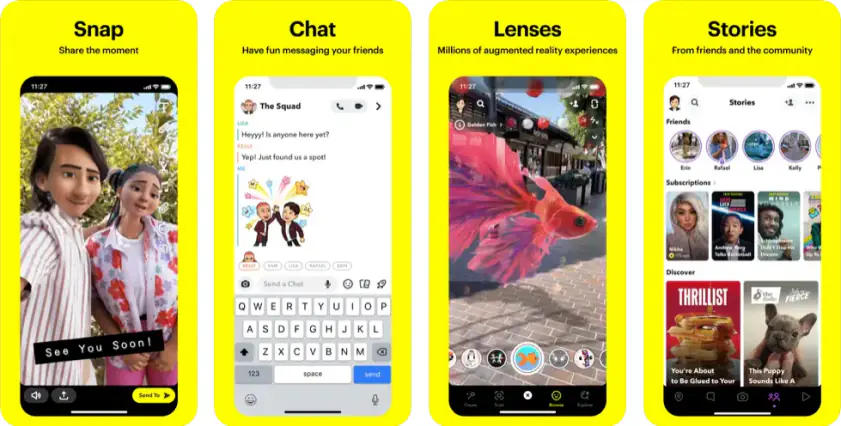
My list of TikTok alternatives cranks up with Snapchat, since it still sits close to the top among apps like TikTok and feels natural for short clips. The app came out in 2011 and has kept its place on the scene thanks to Lenses, Snap Map, and fast camera access. Snapchat's recent updates focus on immersive AR experiences, like the Winter Village with luxury brands, new ways to chat (Topic Chats), and expanded availability (Amazon Fire Tablets).

The core features stay simple: the camera opens right away, filters react fast, and the Snap Map pulls in public posts from many places. The format works for users who want quick reactions and short dancing clips without heavy editing.

So, here is how it worked for me. I used it to record short sync videos during a local street event, and the AR filters made those clips look more lively than I expected. I saved a bunch of snaps into Memories, sorted them, then pushed them to friends to get quick feedback. It felt light, direct, and very social, which is why I still place it near the top of my TikTok alternative picks.
Ratings

4.2/5

Pros:
  • Free to use and an affordable paid option

  • Hundreds of photo and video filters

  • Unique Snap Map

  • Quick AR effects that load fast even on mid-range phones

Cons:
  • Privacy risks

  • Easy to forget to save content for later

  • Notifications stack up fast and feel noisy during busy hours

Why I picked it: it highlights real people and authentic content. Monetization options actually help smaller creators. Community interactions feel straightforward and low-pressure.

My list of best TikTok alternatives to try continues with Clapper, a platform built for real lives and honest content. It’s one of the fastest-growing social media platforms focused on promoting real lives, connections, and communities. Here, you post short videos up to three minutes, add music, trim clips, or use text and effects.

The unique Clapback feature lets you respond to opinions easily and see how others feel, without getting lost in algorithm games. As for notable updates, Clapper recently boosted monetization tools for mid-level creators, so I tested it by posting a 2-minute commentary on local trends. It got direct engagement from viewers near me, and the live streaming feature helped me chat with a small audience in real-time.

I also joined a Group with other hobby creators and found it easy to share tips and collabs. Audio-only Radio rooms are a hidden gem – I tried a small chat session with listeners, and it felt super interactive. Overall, Clapper balances scrolling, posting, and meaningful interactions.

Ratings

Pros:
  • Focus on real, unfiltered content

  • Live streaming and monetization options

  • Clapback feature encourages engagement

  • Easy to create videos with text, music, and effects

  • Localized feed shows nearby content

Cons:
  • Smaller user base than TikTok

  • Limited trending content compared to bigger platforms

  • Videos capped at 3 minutes

  • Not all features are available worldwide

Why I picked it: it makes music video creation fast and fun without extra apps.

Next up in my roundup of best TikTok counterparts to try is Triller. The project started in 2015 as a video editor and quickly became a viable TikTok alternative. Millions of users and big-name creators use it every day.

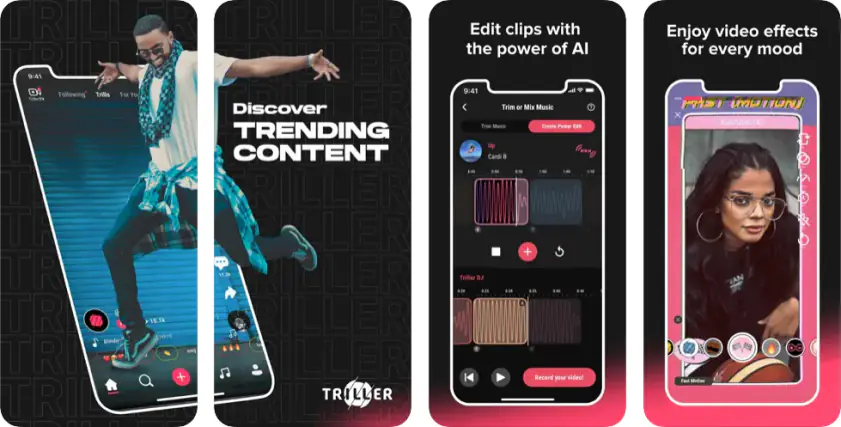
Triller can be defined as a music and entertainment platform made for creators. It’s a social video editor where you can show who you are by capturing and sharing videos in seconds. Want to add music, throw in filters, edit with effects, or share your clips on Triller and beyond? This app has you covered. TrillerTV is live too, so you can catch your favorite celebs taking on challenges or just messing around.

What can you do with this app? This social network lets you capture clips, add music, apply filters, and share instantly with friends or across social media. I tested it by recording a quick dance routine and used Triller’s AI music sync to match our moves perfectly with a trending track – editing finished in seconds.

TrillerTV streams live now, so I also watched celebrities try challenges live and got ideas for my own clips. With millions of creators and stars like Justin Bieber, Charli D’amelio, and Eminem posting content, there’s plenty to scroll through when you want inspiration.

The auto-editing algorithm stitched my multiple takes into a polished final video, and I shared it to Instagram without a hitch. I explored Trills – challenge videos, mashups, and trending clips kept me glued for a while. For me, Triller feels like a space where creators of any skill level can join trends, go viral, and experiment freely with music and video.

Ratings

Pros:
  • Over 80 million songs available

  • Powerful AI music synchronization

  • 100+ video filters and effects

  • Auto-editing saves time

  • TrillerTV offers live celeb streams

Cons:
  • Privacy concerns for younger users

  • Smaller user base limits video variety

  • Occasional AI sync glitches

  • Monetization options are limited

4. Instagram Reels (iOS & Android)

Why I picked it: perfect to showcase short, snappy content while reaching tons of people.

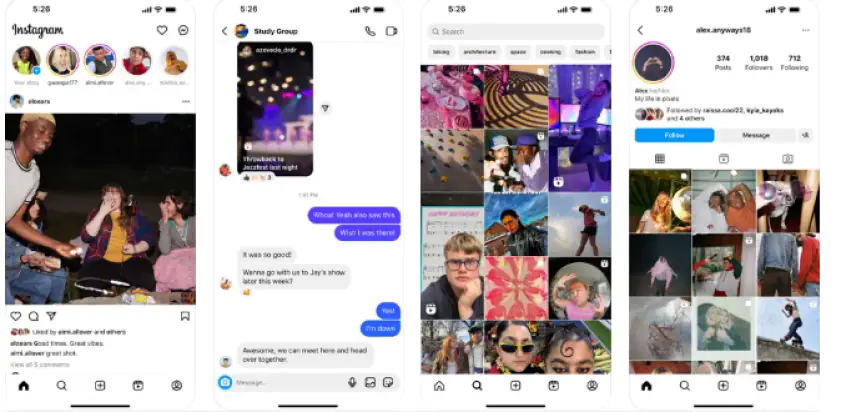
Instagram has been a social media titan for over a decade; Reels, launched in 2020, pushes it even further. With over a billion users, Reels lets creators share videos rivalling TikTok’s reach and influence.

The app allows videos up to 90 seconds. It supports text overlays, filters, and music. Surely, it hooks right into your Instagram profile, so posting feels instant. It’s designed for quick creation and discovery, letting anyone scroll, watch, or create trending clips within minutes.

Its algorithm is something – every like, watch, or post teaches Instagram what you enjoy, so the feed keeps getting more relevant. Trendy audio and effects are baked right in, making it super easy to hop on the latest challenges. Since Reels are integrated into Instagram, sharing your content can boost engagement and grow your following fast.

I jumped on Reels to see what kind of content could actually catch fire. I recorded a quick dance challenge, added trending audio, and just hit post to explore the reach. Within hours, I started noticing people I didn’t know interacting with my clip – it was wild to probe how the algorithm spread content. Scrolling through trending Reels gave me fresh ideas, and the whole experience made it easy to see what works and what doesn’t.

Ratings

Pros:
  • Highly intelligent algorithm connects you with relevant content

  • Built-in trending audio and effects

  • Seamless integration with your Instagram profile for engagement

Cons:
  • Reels aren’t as popular as Instagram’s main feed

  • Editing tools are more limited than other dedicated apps

Quick summary: Apps like TikTok you should try

  1. Snapchat

    Best for quick snaps, fun AR filters, super fast camera

  2. Clapper

    Best for real people, honest content, easy community vibes

  3. Instagram Reels

    Best for trends, huge reach, posts hit your followers instantly

5. YouTube Shorts (iOS & Android)

Why I picked it: I wanted a short-video app that could reach crazy numbers fast while letting me flex my creativity.

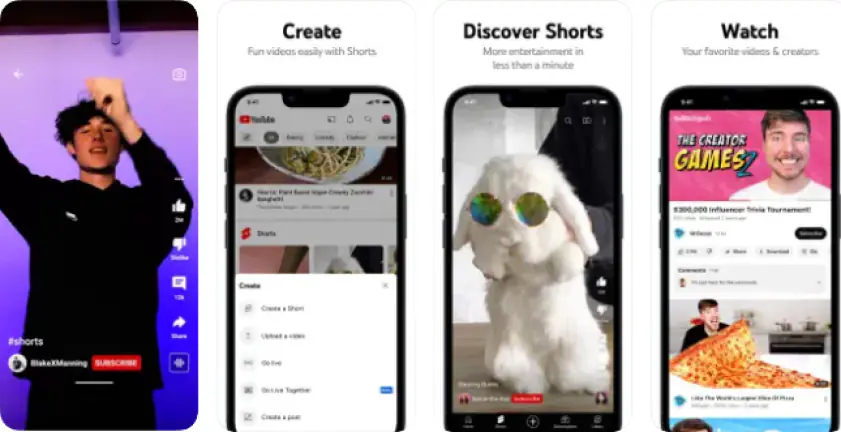
Short-form video has officially gone long-term. In 2026, YouTube Shorts has carved out its own lane – not just as a TikTok rival, but as a serious tool for reach, engagement, and even monetization. Shorts are vertical clips up to 3 minutes long (though under 60 seconds often performs best), designed for mobile scrolling and quick consumption.

You can film multiple clips, adjust speed, add trending audio or music from other videos, and layer on filters, effects, text, and captions. The dedicated Shorts tab, homepage placement, and search visibility make discovering content easy and addictive. Plus, creators can grow their audience and interact with fans instantly, even using Shorts to boost long-form channel content. Monetization is real too: eligible creators in the YouTube Partner Program earn a share of ad revenue on Shorts.

Who doesn’t have a profile on YouTube these days? I posted a 45-second travel hack, and it got way more views than I imagined. Browsing Shorts from other creators sparked tons of fun ideas for my next clips – it’s a nonstop trend machine!

Ratings

Pros:
  • Massive global audience

  • Smart, complex algorithm

  • Monetization opportunities for creators

  • Easy to grow an audience

Cons:
  • Privacy concerns for under-18s

  • Growth isn’t guaranteed

  • New creators face monetization limits at first

6. Likee (iOS & Android)

Why I picked it: it makes short videos pop with cool effects. The personalized feed keeps me on top of trends. Editing tools are easy to operate, even on mobile.

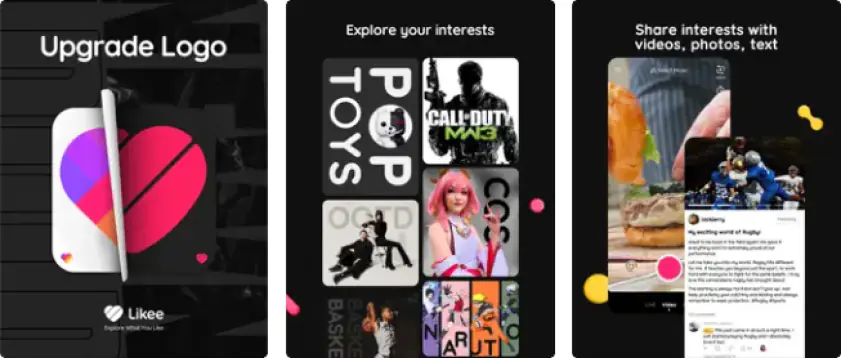
Next in the line of best TikTok alternatives to try is Likee. Chances are you’ve seen this fast-and-fun short-video app popping up everywhere. Hailing from Singapore, Likee hit the scene in 2017 and quickly staked its claim in the short video world. Its vibe? Helping creators flex their skills and connect with people who get them. By December 2025, it’s pulling in nearly 150 million monthly active users – definitely not a small crowd.

You can film, add filters, stickers, and crazy effects, then post it straight to your feed. Likee regularly drops updates for its mobile products on Google Play and App Store to boost performance and user experience.

I tried this trendy social media platform by making a 15-second dance clip and found the trending sounds tab super handy. The “Magic Effects” let me add glitch transitions that actually looked pro. Scrolling through the For You feed, I caught tons of funny skits, lip-syncs, and challenges. Sending posts to friends via DMs worked smoothly, and the tag filters helped me find niche communities. Overall, Likee really nails the vibe for apps like TikTok – fast, fun, and full of scrollable energy.

Ratings

Pros:
  • Tons of AR effects and stickers

  • Personalized feed with trending content

  • Easy short video creation and editing

  • Supports duets and collabs

  • Free to use with optional coins for extra features

Cons:
  • Ads pop up occasionally

  • Some features need in-app currency

  • Trending feed can be repetitive

  • Not all global content is accessible

7. Lemon8 (iOS & Android)

Why I picked it: I wanted a platform to showcase my photos and videos while connecting with creators who actually care about style and content.

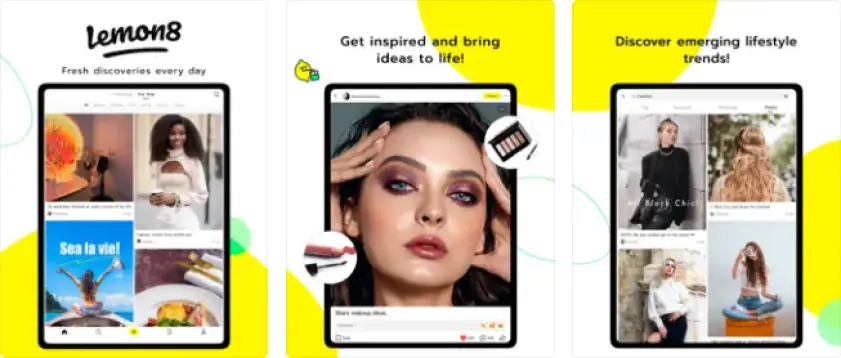
Lemon8 is a lifestyle-focused social media app owned by ByteDance, TikTok’s parent company. Launched in February 2023, it mixes Instagram’s interface with Pinterest-style inspiration and TikTok-like short videos. It’s a solid alternative to the big players, no doubt.

First, you get tons of ways to tweak videos and photos, so everything pops. Next, you can make longer posts, kind of like old-school blogs or Tumblr vibes. And the best part? Lemon8 really pushes real connections, letting you link up with people who actually share your interests instead of just chasing views.

You can drop posts on beauty, fashion, food, travel, pets, or home stuff, using stickers, fonts, filters, and templates. Unlike other apps like TikTok, it lets you write longer posts and micro-blogs while focusing on genuine connections instead of just chasing viral hits. The “For You” feed hooks you up with content and communities that actually match what you like. The recent updates revolve around incorporating AI elements and stepping up the platform’s privacy.

Dabbling with this cute social platform, I shared a small fashion haul and a mini food diary. People actually engaged and gave tips, which made the app feel more personal than just another feed. Browsing other posts gave me ideas for new creative combos I hadn’t thought of before.

Ratings

Pros:
  • Tons of photo and video customization

  • Helps grow a like-minded, authentic community

  • Easy and fun to use

Cons:
  • Not a direct TikTok competitor

  • Heavy focus on one kind of aesthetic

  • Growth is slower than on bigger platforms

8. Zigazoo (iOS & Android)

Why I picked it: I wanted a TikTok alternative that’s safe, fun, and actually feels positive.

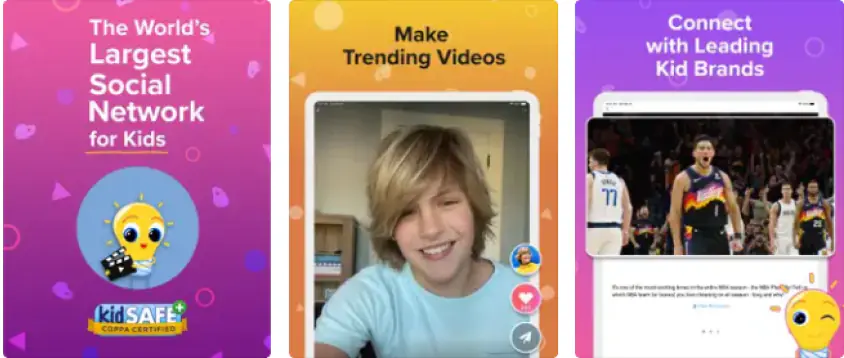
Zigazoo is a bit of an unusual TikTok alternative. Made by parents and educators, it’s all about positive, fun, and creative content. Among kids, Zigazoo is sometimes dubbed as “edutainment” app because it mixes fun challenges with learning. You can dance, sing, or make videos and actually pick up something useful while doing it.

You can jump into challenges, make short videos with music and effects, and interact without any bullying or mean vibes. Stickers, filters, and text let you really tweak your clips, and trending challenges, badges, and Zigabucks keep things playful.

There’s also a Premium mode that unlocks longer videos, extra tools, and more Zigabucks. Every account is parent-approved, and humans check every video to make sure it’s safe and age-appropriate.

Experimenting with this alternative to TikTok, I tried a mini dance challenge with some friends. The moderation meant it went live fast and stayed troll-free. Kids could join in, play with stickers, and the feedback was all good energy. Honestly, it’s nice to see a social feed that actually wants you to learn and have fun.

Ratings

Pros:
  • Promotes positive content and safe interactions

  • Human-moderated, KidSAFE COPPA certified

  • Encourages creativity and educational challenges

  • Parents have control over sign-ups

Cons:
  • Smaller audience than mainstream apps

  • Limited video-editing tools

  • Less trending music and effects compared to TikTok

9. Zoomerang (iOS & Android)

Why I picked it: a lesser-known TikTok alternative that actually helps creators make money and grow.

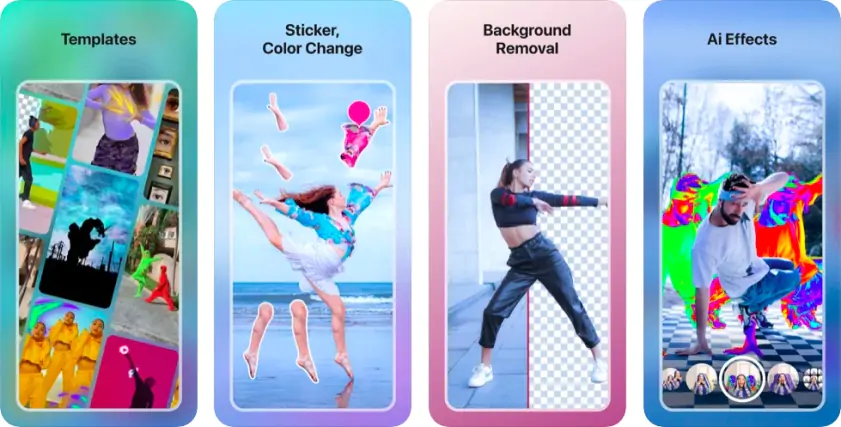
Next in my collection of apps like TikTok is Zoomerang. You should know that it feels more like a mini studio than a social feed to showcase your life and talent. It’s better to define it as an all-in-one video editing platform. It helps you concoct engaging videos easily with varied video templates for short-form socials. Simple as that.

Templates for dances, lip-syncs, or trends are ready to tweak, and AI tools handle timing and transitions. I tried a trending dance template, added my own text and effects, then shared it on Instagram. The post went live fast, and the collab with friends felt smooth.

The Starter plan is free, and the premium unlocks monetization and extra editing tools for $4.99 per week or $29.99 per year. The app also connects solo creators with businesses, helping to find gigs or partnerships. Guidance from the platform helps you follow trends without guessing.

I liked how it pushes creators to build something shareable while still giving control. On social media, the AI timing kept my edits clean, and friends jumped in for duets easily. It’s a solid tool if you want short-form clips that can actually reach an audience.

Ratings

Pros:
  • Simple interface for quick edits

  • Lets creators monetize templates

  • Free and premium plans

Cons:
  • Free version limits features

  • AI sometimes glitches

  • Privacy concerns for users under 18

10. Funimate (iOS & Android)

Why I picked it: it’s the last app I tried on this exploration. Not exactly a TikTok analogue, but it fits perfectly as a creative sidekick.

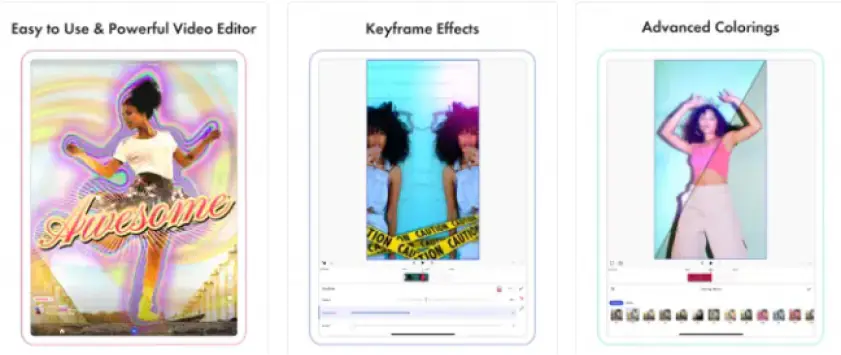
Funimate feels different from the usual TikTok alternatives. The app runs on iOS and Android and lets you create videos with tons of effects, filters, and music syncing. It’s not exactly TikTok, but its community-driven feed makes it a solid alternative. You can post your clips inside Funimate or share them straight to other social media and websites.

I used it to make a short mashup of random clips I’d shot over a week – stuff that would never make sense in one continuous story. The keyframe effects let me punch in sudden color pops, and the transitions made the chaos actually fun to watch. I dropped a couple of stickers and synced the cuts to a weird remix track I found online. Surprisingly, sharing it to Instagram and WhatsApp didn’t feel clunky at all.

It’s not about the viral feed. It’s about creating content you enjoy and then dropping it wherever you want. I liked how it lets you experiment without worrying about trends. Even in the free version, you can do a lot, though the watermark and limited effects are noticeable.

The pro plan smooths that out if you care to pay. Funimate isn’t here to replace TikTok. It’s the playground for editing experiments, a tool to make your short videos look sharp before they hit your main platform.

Ratings

Pros:
  • Strong keyframe editing and transitions

  • Easy to jump in and start experimenting

  • Community shows creative ways to use effects

Cons:
  • Free version has watermark

  • Some effects locked behind pro plan

  • Can get a bit fiddly if you overload clips

How to choose the best TikTok alternative

In 2026 (and I’m sure in 2027), short-video content isn’t just fun. It’s how people connect, learn trends, and even earn. Socials like TikTok dominate, but not everyone wants the same pace or style. That’s why alternatives matter. Some other apps similar to TikTok push quick posting and trend-hopping, others give you more control over edits, and a few focus on community or safe spaces for younger users.

If you want fast, social clips with AR flair, check out Snapchat. For real-life, authentic content with monetization options, Clapper is worth a try. Music-driven creators should test Triller or Funimate for AI sync and experimental effects. Want to reach millions quickly? YouTube Shorts and Instagram Reels deliver maximum exposure. For creative editing and collabs, Zoomerang or Likee give flexible templates and playful tools.

Pick a platform based on what matters most to you: trends, reach, editing power, or community. Test a few. Mix and match. In today’s era of fast-moving social media, the right app isn’t just a tool – it’s part of how you express yourself, share, and experiment online.

Movavi Video Editor
Create awesome videos easily

*The free version of Movavi Video Editor may have the following restrictions depending on the build: watermark on exported clips, 60-second video or 1/2 audio length limit, and/or some advanced features unavailable when exporting videos.

Movavi Video Editor

Frequently asked questions

What are the best alternatives to TikTok?

Instagram Reels and YouTube Shorts are solid choices if you’re already using those platforms. Snapchat offers unique filters for added fun. Huddles is also a great option, offering a more collaborative video-sharing experience. Triller provides advanced editing tools and music-driven content. Many apps offer built-in editing, but Movavi Video Editor gives you even more options for enhancing your videos and taking your creativity to the next level.

What apps are like TikTok but kid-friendly?

YouTube Kids offers a safe space for kids to watch and create fun videos with content moderation in place. GoNoodle is another awesome app, perfect for kids to enjoy educational videos, dance routines, and physical activities. If your child loves being creative with videos, Zigazoo is a fantastic option too.

What apps are like TikTok for adults?

For adult content creators seeking creative freedom, Triller offers advanced editing tools and music-powered features that turn basic videos into pro-level content, while Likee provides a wide range of effects to make your videos more engaging. When you need even greater flexibility and control, try Movavi Video Editor to fine-tune clips, adjust audio, add special effects, and create smooth transitions.

Is there a safer alternative to TikTok?

If you're looking for apps with strong privacy and content safety, Instagram Reels lets you set your account to private, limit interactions, and control comments. YouTube Shorts also offers privacy controls, including who can view and comment on your videos. Huddles focuses on privacy, giving you control over who sees your content and how it's shared.

What apps are similar to TikTok in terms of functionality?

Instagram Reels, YouTube Shorts, and Triller are similar to TikTok in functionality but with some minor differences. Reels allows videos up to 90 seconds, Shorts up to 60 seconds, and Triller supports longer videos (up to 3 minutes) with advanced editing tools, ideal for music videos. For more editing flexibility, use Movavi Video Editor to customize your clips before posting.

Have questions?
Have questions?
If you can’t find the answer to your question, please feel free to contact our Support Team.
Join us for discounts, editing tips, and content ideas

1.5M+ users already subscribed to our newsletter

By signing up, I agree to receive marketing emails from Movavi and agree to Movavi's Privacy Policy.