
Top 12 Video Editors for Chromebook

Try Movavi Video Editor!

  • Trim, cut, crop, and rotate videos
  • Add titles, stickers, and transitions
  • Apply visual effects

By clicking the download button, you're downloading a trial version of the program.*

Edited by
Ben Jacklin
4349

Key takeaways

  • The editors that stood out during testing were Movavi’s Online Video Editor, WeVideo, PowerDirector, KineMaster, and Canva. They each handle Chromebook quirks in their own way.
  • Browser tools feel quick and lightweight, while the Android apps offer more control if your device supports them.
  • Choosing the right one often comes down to instinct. Some editors feel welcoming in the first minute and others take a little warming up.
  • A simple test clip can reveal a lot. You notice how smooth the timeline feels, how fast exports run, and whether the tool fits your pace.
  • If you work on short social videos, starting with a template or auto captions can save you from redoing the entire project halfway through.

Editing videos on a Chromebook can feel a bit unpredictable. Some tools run smoothly in the browser, and others make you stop and wonder if your project is too much for the device. When I started testing the editors for this list, I expected plenty of hiccups. A few did stumble, although one managed to handle a clumsy slow-mo clip of my cat tipping over a light stand, which was a pleasant surprise.

I tested all twelve programs myself, switching between tabs, trying different export settings, and assembling a few short projects to see how each one behaved in real use. Some apps felt instantly comfortable while others needed a bit of patience. After finishing all the tests, I narrowed everything down to a set of top options that genuinely work well.

Here is a closer look at the best editing apps for Chromebook and what each one is actually good at.

My top picks

Best overall: Online Video Editor by Movavi

Movavi feels dependable on a Chromebook. It loads fast, the tools sit exactly where you’d expect, and even with a few tabs open, it never stuttered during testing.

Best budget option: Clipchamp

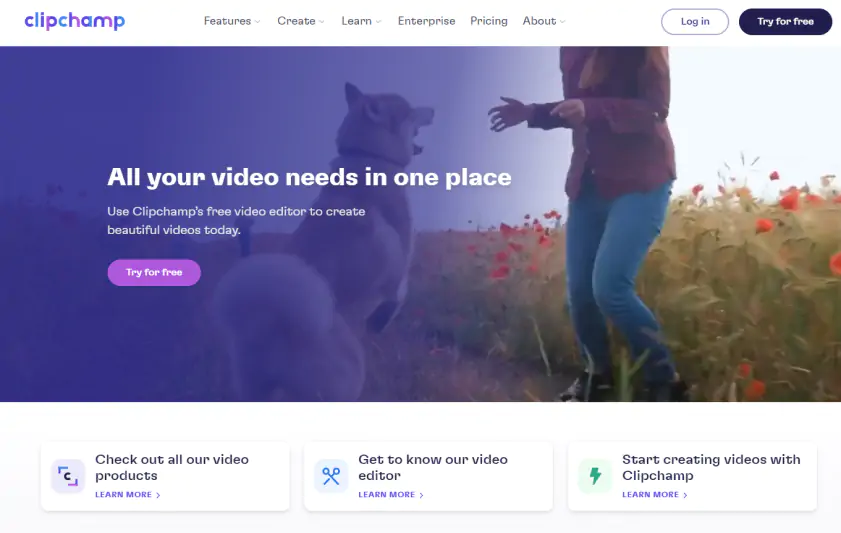
Clipchamp gives you plenty for free. The timeline is simple, the stock clips fill gaps easily, and even 4K exports worked smoothly in my tests.

Best for professionals: PowerDirector

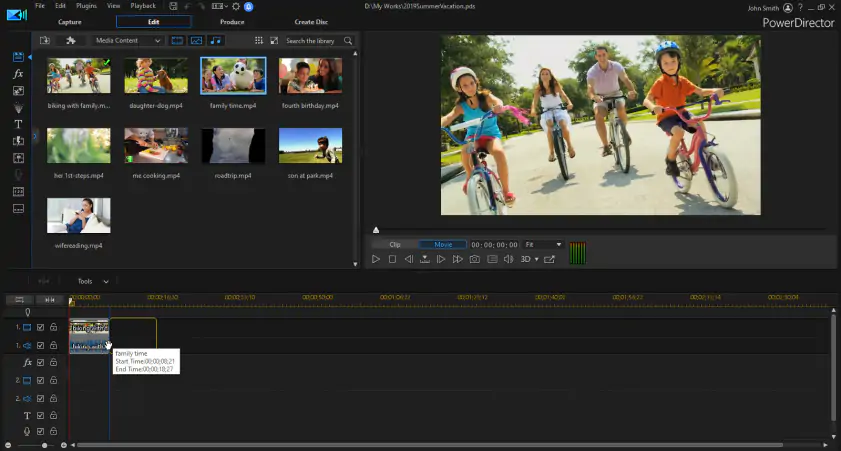
PowerDirector feels surprisingly strong on a Chromebook. The multi-track layout is familiar, effects respond quickly, and 4K export handled itself without slowing down.

Best for mobile-style editing: KineMaster

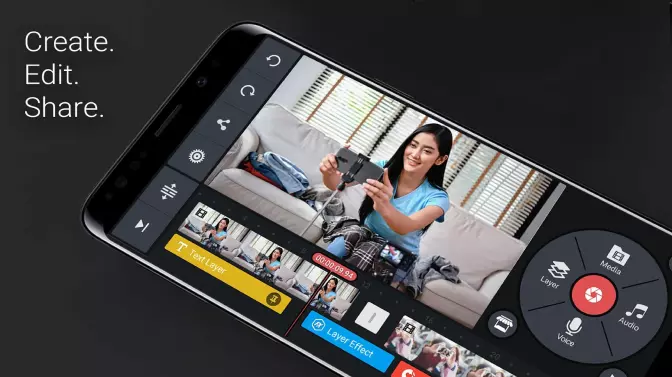
KineMaster packs in serious control once you adjust to the layout. I liked nudging clips and effects with precision, even if the interface feels a bit snug on a bigger screen.

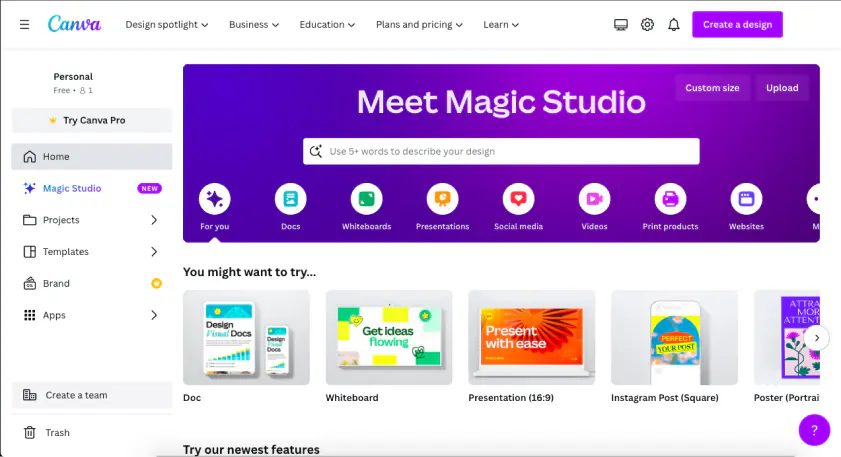
Best for social media & templates: Canva Video Editor

Canva is perfect for quick projects. I pulled together a short clip in minutes using its templates, and swapping assets really is as simple as drag-and-drop.

Comparison table: Best video editors for Chromebook

Program

Key features

Download

In-browser editing, trimming/cropping, transitions, filters, built-in music library, AI tools

Cloud-based editing, built-in media library, social uploads, special effects

disclaimer_person
At Movavi, we’re committed to providing you with verified information only. Here’s what we do to ensure this:
  • When selecting products to include in our reviews, we research both demand and popularity.

  • All products mentioned in this article have been tested by Movavi Content Team.

  • When testing, we compare key parameters, including video and audio trimming, visual effects, stabilization, video quality adjustments, saving and sharing videos, and other significant features.

  • We study user reviews from popular review platforms and make use of this information when writing our product reviews.

  • We collect feedback from our users and analyze their opinions of Movavi software as well as products from other companies.

Chromebook video-editing software

Why I picked it: it delivers the smoothest, most reliable in-browser editing experience with all the essential tools Chromebook users actually need.

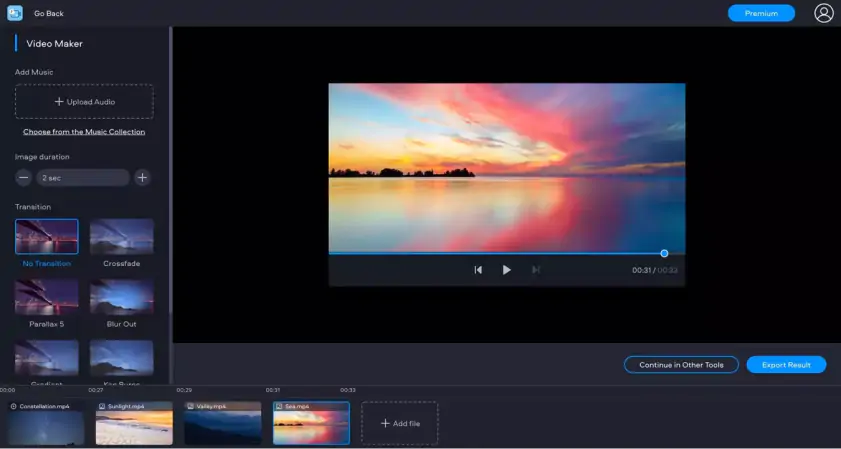
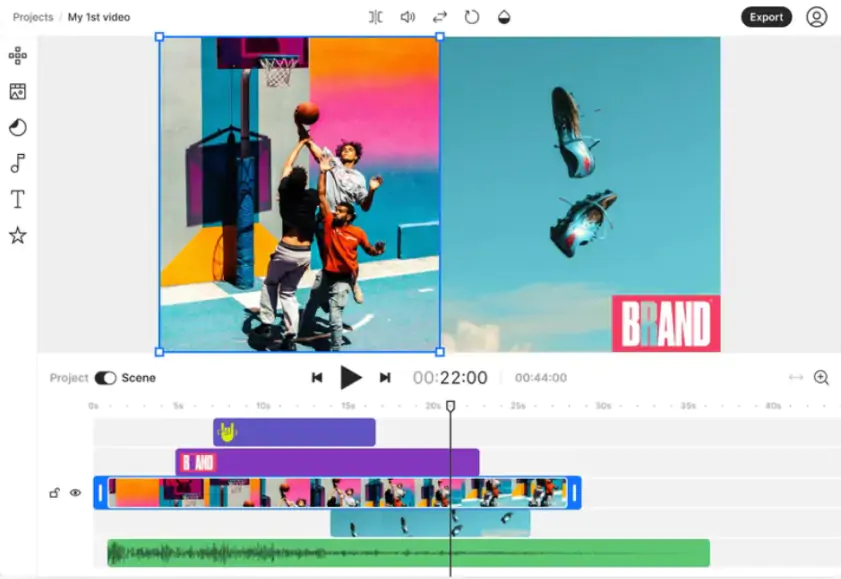
If you would rather skip installing extra software on your Chromebook, working in the browser often feels like the easiest approach. Movavi’s Online Video Editor stood out to me because it behaves the way you hope a Chromebook video editor will behave. You can trim or crop a clip in a few clicks, add a transition, tweak the colors a bit, and pull music from either your own files or the built-in library. The layout stays clean, so small projects like travel videos or quick class materials come together almost without effort. While testing it, I caught myself jumping between tools quickly and not really pausing to figure things out. It is not meant for complex, multi-layer work, but it handles the basics with a steady feel and never asks you to install anything. That combination makes it an easy choice for Chromebook users who want something clear, practical, and ready the moment the page loads.

Key features:

  • Basic editing tools like trimming, cropping, and transitions
  • Built-in music library for quick soundtracks
  • Works fully in the browser without installation
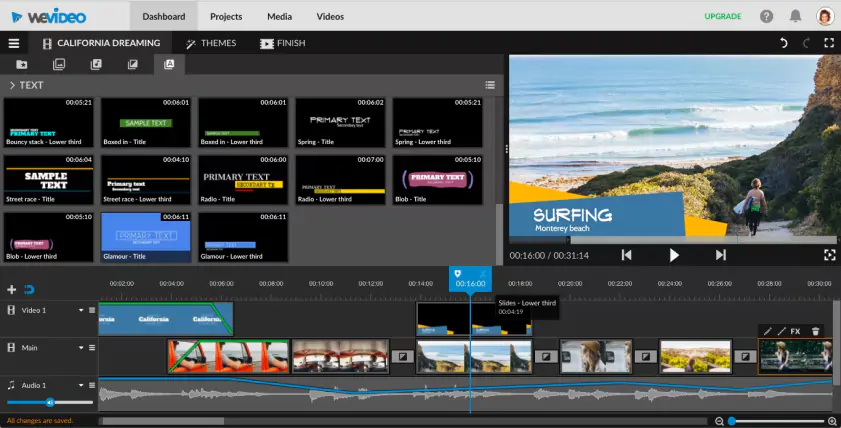
Why I picked it: it makes quick, beginner-friendly cloud editing effortless and syncs perfectly with Chromebook workflows.

Popular web-based video editing platform WeVideo has a free app in the Chrome web store. The app will allow you to easily use the web service from a dedicated app on your Chromebook instead of needing to navigate to the site in your web browser. The free version is limited to publishing 5 minutes of video and contains a watermark. The software can publish to YouTube, Google Drive, Vimeo, Facebook, Dailymotion and more. Upgrading to a premium subscription gets you unlimited publishing time and access to more powerful effects. When I tested it, I liked how quickly I could set up a simple project without any learning curve.

Key features:

  • Built-in media library
  • Uploads directly to Facebook, Twitter, Instagram, and more
  • Has special effects, such as slow motion

Ratings

Pros:
Cons:

Why I picked it: it’s one of the most capable Android editors you can run on a Chromebook, offering surprisingly powerful tools in a mobile format.

This is actually an Android app. Chromebooks running the latest versions of Chrome OS have the ability to run apps from the Google Play store for Android. If your device can run Android apps, then this is a nice option for you. PowerDirector is a well-known desktop video editor. The Android version is not as full-featured but is still powerful enough for many tasks. Purchasing a monthly subscription will allow you to export to larger resolutions as well as open up more effects and stock media assets. When I tried it, it seemed surprisingly capable for an Android editor.

In the latest update, CyberLink enhanced its Text to Video tool for clearer AI generation and improved subtitle editing with new backdrops and styling for better readability.

Key features:

  • A multi-timeline interface
  • A lot of free templates and effects
  • Can export videos in 4K resolution
  • AI-powered editing & effects

Ratings

Pros:
Cons:
  • It requires your Chromebook to support Android apps

Why I picked it: it gives Chromebook users deep, granular editing control and pro-level features once you get used to its interface.

KineMaster is another Android option and is available as a free download on the Google Play Store, with optional upgrades if you want more effects or tools. This app is considered by many to be even more powerful than the Android version of PowerDirector, although the learning curve can be a little steeper. Part of the difficulty in using the app is that it doesn’t translate as well to the larger screen of the Chromebook as PowerDirector does. If this isn’t something that bothers you, then you’ll likely enjoy this app. When I tested it, I liked how much control it gave me once I got used to the interface.

In the most recent update, KineMaster 8.0 introduced an optional vertical editing interface, allowing you to edit in portrait mode with all standard tools available.

Key features:

  • Built-in library with music, fonts, transitions, and more
  • Can export videos in 4K resolution
  • Has the speed control feature to create slow motion and speed-up videos
  • AI tools
  • Auto captions / subtitle support & subtitle imports

Ratings

Pros:
  • It's free to try

  • Includes some powerful features

Cons:
  • It requires your Chromebook to support Android apps

  • It's not as easy to use as some options

Quick summary: Best video editor for Chromebook

  1. Best overall: Online Video Editor by Movavi

  2. Best cloud editing option: WeVideo

  3. Best for professionals: Cyberlink PowerDirector

Why I picked it: it combines a simple browser-based timeline with a large template and stock library, making quick edits and social content creation effortless.

Canva Video Editor runs directly in the browser and feels straightforward to use on a Chromebook. The multi track timeline makes it easy to arrange clips, audio, and simple graphics without digging through menus. The built in stock library helps when a project needs an extra shot or a bit of background music. Trimming, splitting, and adding transitions work smoothly, and the subtitle tool speeds up basic captioning. I liked how quickly short edits came together, even when switching between devices.

Key features:

  • Multi track timeline for arranging video, audio, and graphics
  • Built in stock library with footage, music, and sound effects
  • Simple tools for trimming, splitting, and adding transitions
  • Automatic subtitle generation

Ratings

Pros:
Cons:

Why I picked it: it runs smoothly on Chromebooks and offers a fast, intuitive timeline with useful AI tools and strong export reliability.

Clipchamp works smoothly in a Chromebook browser and feels easy to settle into. The timeline is simple to manage, and the drag and drop tools make small edits move quickly. The built in stock videos and music help when a project needs a little extra polish. Subtitles, filters, and voice overs are straightforward to add, and exporting in 4K worked reliably in my tests. The latest update adds AI noise suppression, a new video-resizer tool, accurate editing timestamps, and clip-grouping functionality for smoother workflows.

Key features:

  • Drag-and-drop editing with a simple timeline
  • Built-in stock library with video clips, music, and sound effects
  • AI noise suppression and video-resizer tools
  • Subtitle support, filters, and overlays for creative control

Ratings

Why I picked it: it’s a powerful, flexible web editor with excellent collaboration features and AI tools that work instantly across any device.

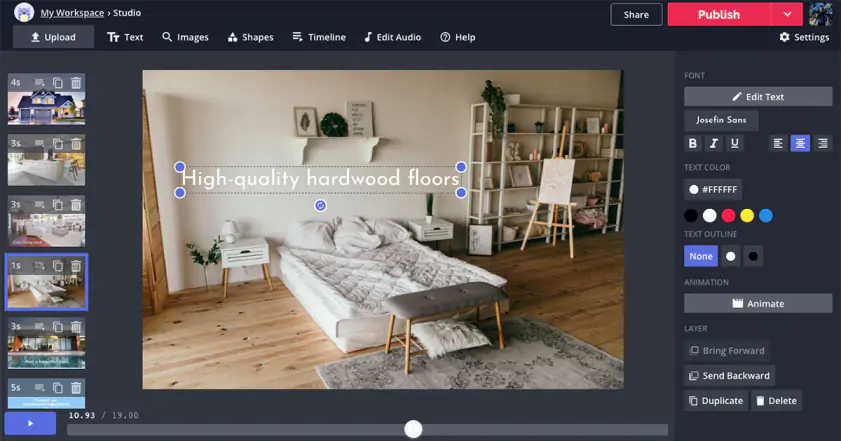
Kapwing is a web-based video editor, so there are no apps to install and there's no need to worry about compatibilities. You can use the editor from your Chromebook’s browser or the browser of any other device you have. The site features an impressive list of tools and effects that you can use to craft your perfect video. The free version limits you to a 250 MB upload size and up to 4 minutes of export time, while the Pro plan increases the upload limit to 6 GB and allows exports up to 120 minutes. Kapwing also supports link uploads up to 120 minutes. When I tried it, I liked how quickly I could put together a simple project without needing to install anything.

In the latest update, Kapwing added a new Templates tab, support for many more transcription languages, and a “Magic Animate” tool that lets you automatically animate all layers on a canvas for smoother transitions.

Key features:

  • Has collaboration feature to edit videos with a team
  • Can add subtitles to a video
  • Can embed text and logos on your videos
  • AI background removal
  • Social-media resize presets

Ratings

Pros:
  • It's web-based, so you can work across devices

  • It has an extensive set of features

  • Collaboration and AI-powered tools

Cons:

Why I picked it: it offers one of the simplest browser workflows with helpful AI tools like auto-subtitles and noise removal that speed up everyday editing.

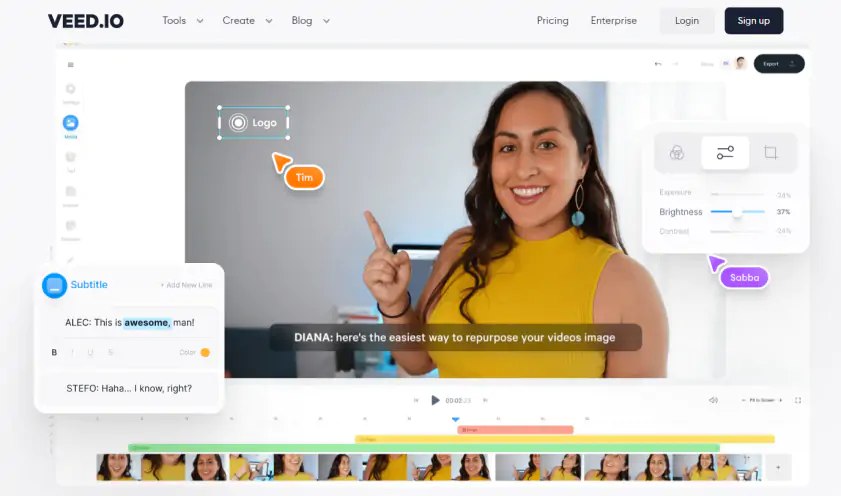
VEED.IO is an online editor built for quick, straightforward video work directly in the browser. It runs smoothly in most browsers and feels quick to learn. The layout is easy to move around in, and trimming or adding text takes almost no effort. The auto subtitle tool saves time on short clips, and the noise removal feature helps clean up rough audio. The stock library adds helpful filler shots, and cloud saving keeps projects within reach on any device. When I tested it, the workflow felt smooth and even a bit fun to use.

Key features:

  • Auto subtitle generation and basic AI tools
  • Noise removal for cleaner audio
  • Simple drag and drop editing in the browser
  • Built in stock media library for video, music, and graphics

Ratings

Cons:

Why I picked it: it can turn a script or prompt into a polished video in minutes, making it ideal for fast content creation on a Chromebook.

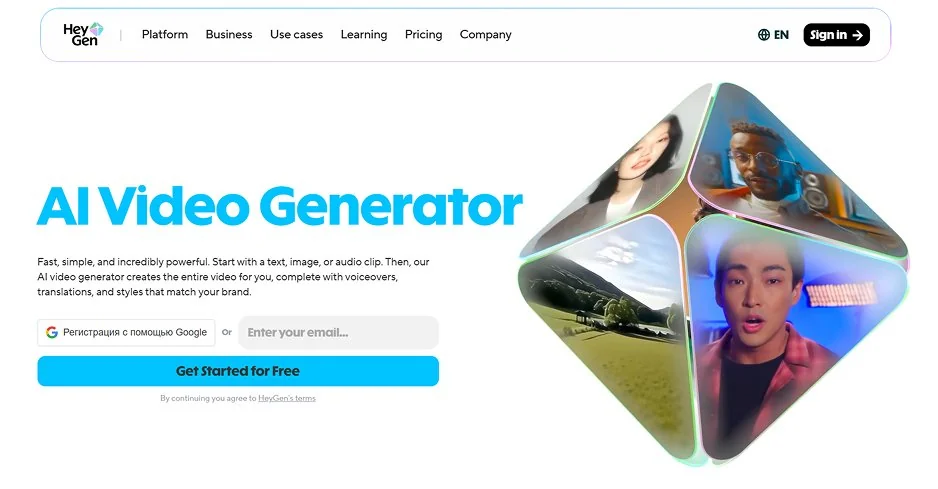
InVideo AI runs in the browser and feels straightforward to use. You can start with a script or a template, then drop in your own clips or pick from the stock library. The AI tools help shape the draft quickly, and simple adjustments like trimming or adding subtitles take very little time. I tried a short social clip and liked how fast the editor pulled everything together, even when I switched between a few layout ideas.

Key features:

  • AI video generation from scripts or prompts
  • Built in stock library with footage, images, and music
  • Simple tools for trimming, subtitles, and voiceovers
  • Template based editing for quick social media videos

Ratings

Pros:

Why I picked it: its AI-driven automatic editing makes social-ready videos incredibly quick to produce with almost no manual work.

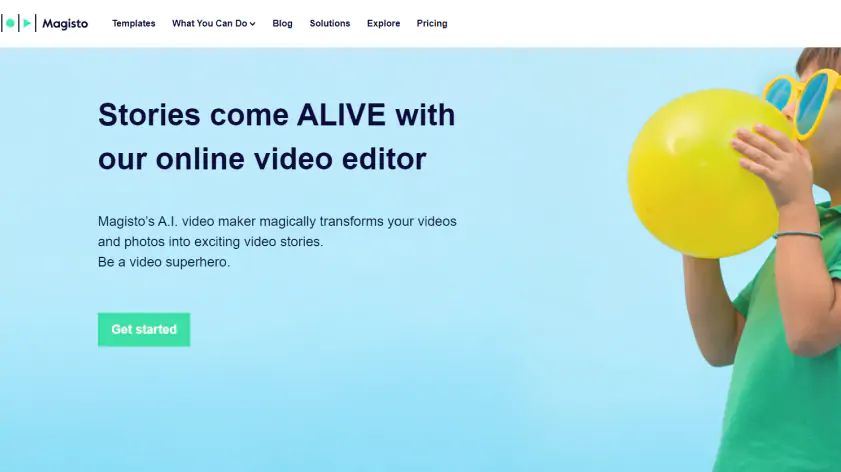
Another Android app that may be worth trying if your Chromebook supports it is Magisto. This is a very popular video editing tool because of its ease of use. Magisto is primarily aimed at people who just want to shoot video to share on social media. Unlike PowerDirector, it isn't trying to bring desktop caliber video editing to mobile platforms. Instead, Magisto uses AI to help you automatically create good looking videos and offers simple scene-based timeline and trimming tools that make quick edits easy. When I tested it, I liked how fast it assembled a polished video with almost no effort.

Key features:

  • The app uses A.I. that makes editing semi-automatic
  • Provides licensed music
  • Easy-to-use timeline

Ratings

Pros:
Cons:
  • It requires your Chromebook to support Android apps

  • Limited editing flexibility

11. YouTube Editor

Why I picked it: it’s the easiest free option for creators who mainly publish on YouTube and just need fast, in-browser fixes.

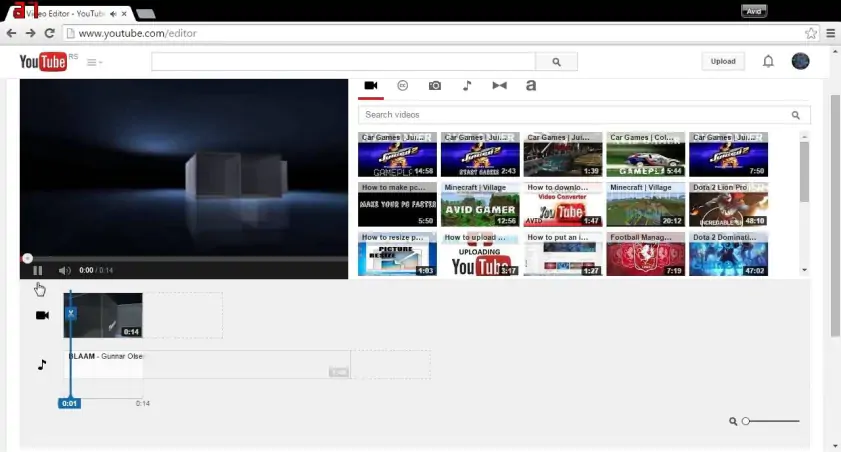
YouTube has its own built-in editor that makes a great choice if you are mainly interested in publishing your videos to YouTube. It has many of the same basic features that other simple video editors have. You can trim or cut your footage, add music from YouTube’s royalty-free audio library, blur parts of your video, and insert YouTube-specific elements like end cards. Unlike most of the options on the list, YouTube’s editor is completely free. When I tried it, I liked how quickly I could make small fixes without leaving the browser.

Key features:

  • Has a music and audio library
  • Basic editing features, such as trimming and applying simple filters, are available
  • New unified timeline editor for Shorts
  • AI-powered editing tools for creators (Shorts + Studio)
Pros:
  • It's completely free

  • There's a large royalty-free audio library to use

Cons:
  • It's not as powerful as some of the others

Why I picked it: it’s a fully free, open-source editor with an advanced timeline, giving Chromebook users a no-cost way to access more robust editing tools.

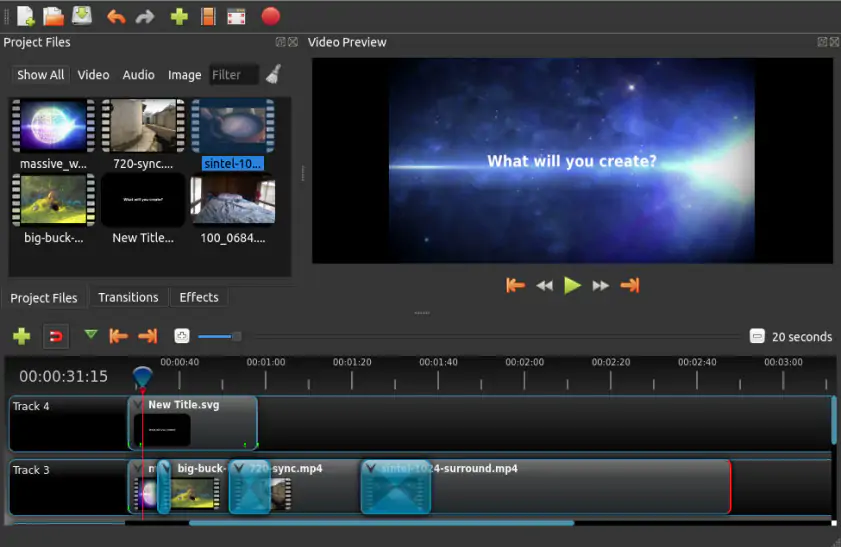
OpenShot is a free, open source freeware video editor originally written for Linux. It can also be accessed through a web-based version provided by Offidocs.com, which runs a cloud-hosted instance of the desktop app. This allows you to open and edit projects in your browser, including on a Chromebook, although performance and available features aren’t quite the same as on the native desktop app. When I tested it online, it seemed noticeably slower in comparison.

In the latest version (OpenShot 3.3), the editor added precision tools such as ripple editing and enhanced zoom controls for more accurate editing.

Key features:

  • Supports many media formats
  • Has an advanced timeline
  • Has a lot of digital effects
Pros:
  • It's completely free

  • It has a lot of features

Cons:
  • It's not the easiest to use option

How to choose the best video editor for Chromebook

Some editors reveal their personality within the first few clicks. While testing everything on this list, I found myself paying attention to those tiny reactions you get when a tool either invites you in or pushes you away.

Movavi’s Online Video Editor was the one I opened the most. It starts fast, stays calm, and lets you finish a quick cut before you even settle in.

WeVideo feels light and friendly. You open it and you are already halfway into your project. No clutter, no hunting for buttons.

PowerDirector is the option for people who want space to experiment. It has that familiar multi-track feel and handled my tests without the Chromebook groaning about it.

KineMaster is more hands-on. Once I settled into its rhythm, I could move clips around with a kind of quiet satisfaction. It feels like a phone app that grew up a bit.

Canva Video Editor is the shortcut tool. Templates everywhere, quick swaps, and somehow the video is done before you have fully decided what you wanted to make.

If one of these tools makes you forget the interface for a moment and focus on the video taking shape, that is usually the right one to stick with.

Movavi Video Editor
Create awesome videos easily

*The free version of Movavi Video Editor may have the following restrictions depending on the build: watermark on exported clips, 60-second video or 1/2 audio length limit, and/or some advanced features unavailable when exporting videos.

Movavi Video Editor

Frequently asked questions

What is the Chromebook equivalent of iMovie?

Chromebooks never came with their own iMovie-style editor, so you end up scouting around for something that feels just as effortless. Out of everything I tried, Movavi’s Online Video Editor came the closest to that familiar calm. It starts up fast, the layout feels like you have seen it before, and you can drop in a clip and start trimming almost without noticing you made a decision.

Clipchamp is another solid option. Its simple timeline and clear controls work well for everyday projects and feel comfortable for anyone who likes iMovie’s straightforward style. Movavi still lines up a bit better with that familiar experience, but both are good choices for Chromebook users.

Are Chromebooks good for video editing?

While any Chromebook can be used for video editing, Chromebooks with higher processing power and RAM are recommended for smoother performance.

Have questions?
Have questions?
If you can’t find the answer to your question, please feel free to contact our Support Team.
Join us for discounts, editing tips, and content ideas

1.5M+ users already subscribed to our newsletter

By signing up, I agree to receive marketing emails from Movavi and agree to Movavi's Privacy Policy.